10
3.2 The SHIFT Button
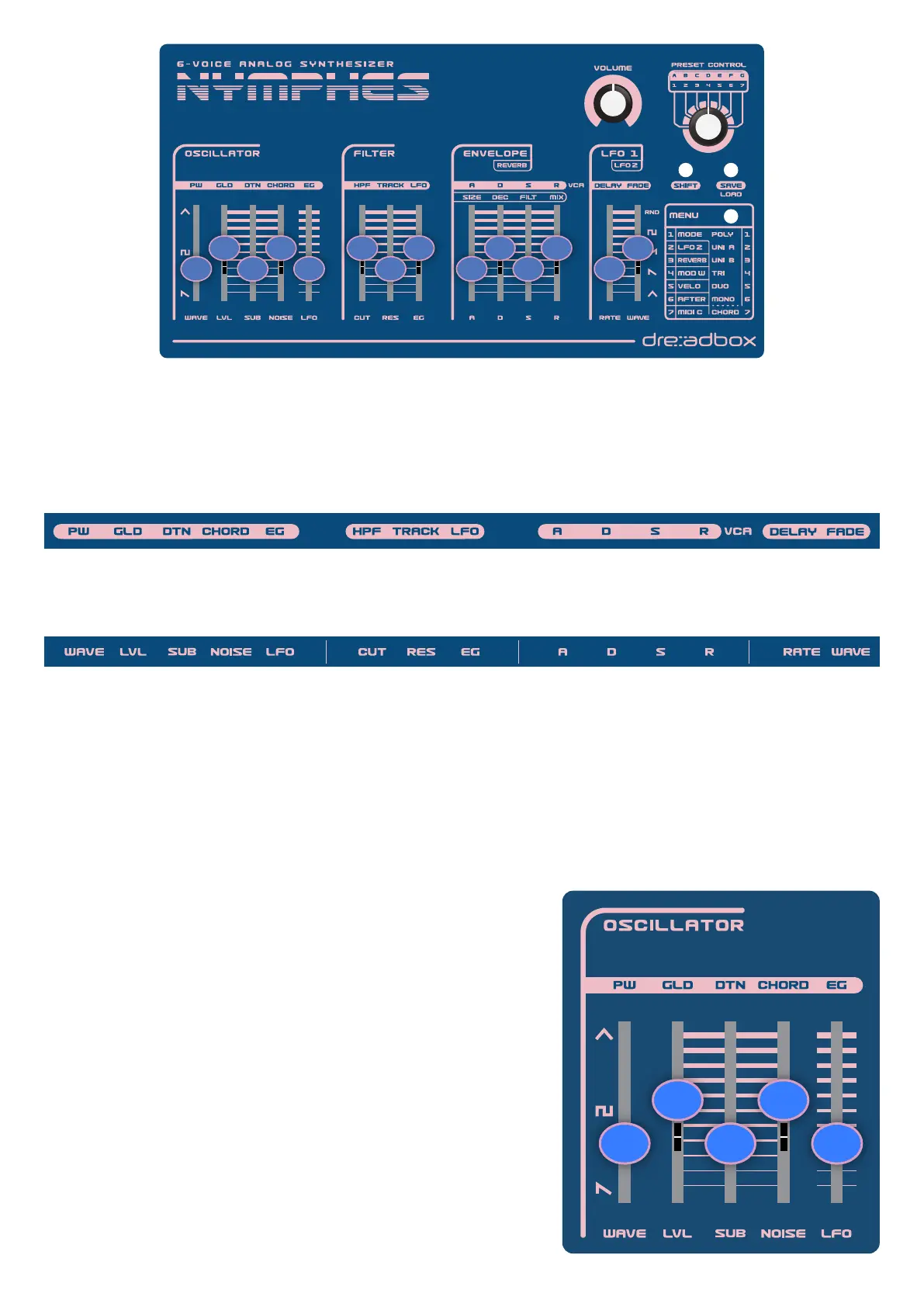
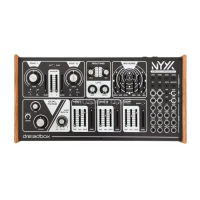
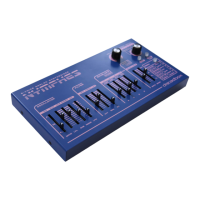
Though there are only 14 sliders on the Nymphes, by using just the SHIFT button with those 14 sliders, you can
easily access 28 parameters for controlling and programming the synth. When the SHIFT button is lit, the 14
labels on top of the sliders describe the parameter that each slider controls.
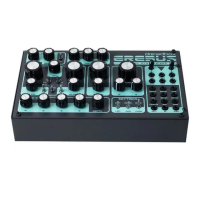
When the SHIFT button is not lit (off), then the 14 labels underneath the sliders describe what each of the 14
sliders control.
You can either temporarily press the SHIFT button, and it will light up, or you can quickly double-click the shift
button, and it will stay lit. Again, it’s important to remember, as long as the SHIFT button is lit, the sliders will
control the parameters labeled at the top.
3.3 Oscillator
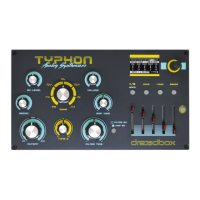
The 10 available settings in the oscillator section are controlled
with the 5 sliders and the shift button. Most importantly, these
settings let you program the shape, the tuning/pitch, and the
amplitude of the oscillator waveform and sub oscillator.
WAVE (slider 1) - the oscillator waveform control lets you select
the shape of the continuously variable waveform, morphing
between sawtooth, square, and triangle shapes.
LVL (slider 2) - the level control lets you set the amplitude or
loudness of the oscillator waveform.
SUB (slider 3) - the sub-oscillator control lets you add a square
wave, pitched one octave below the pitch of the oscillator
waveform
NOISE (slider 4) - the noise source control lets you add white noise
mixed with the main oscillator and sub-oscillator.
1
2 4
3 5
1
2 6 104 8 12 14
3 7 11 1395


 To Next Page