5
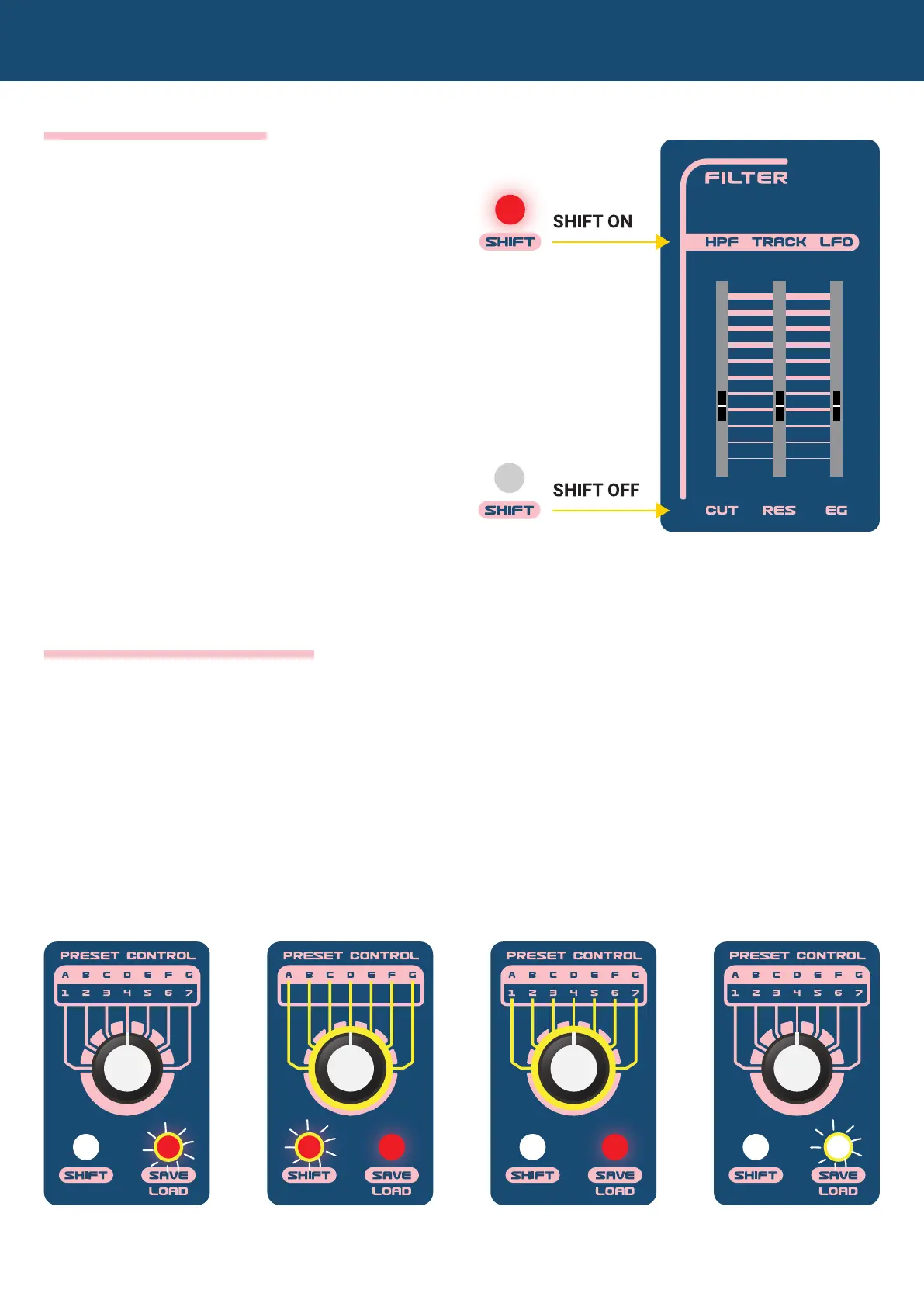
THE SHIFT BUTTON
Double click the SHIFT button and
its LED will be lit. You can now
control all the parameters labeled
above the sliders.
Another way to access these
parameters is by holding down the
SHIFT button while changing the
values of the parameters in the pink
areas (similar to how you use the
SHIFT button on a computer’s
keyboard).
1. Press the LOAD
button and its LED
will ash.
2. With the SHIFT
button ON, select
a bank with the
rotary switch.
3. With the SHIFT
button OFF, select
a preset with the
rotary switch.
4. Press the LOAD
button to recall the
selected user
preset OR Hold
down the LOAD
button to recall the
factory preset.
2.2 Quick Start Guide
If you want to reload your current preset, just skip step 2 and 3.
HOW TO LOAD A PRESET


 To Next Page