6
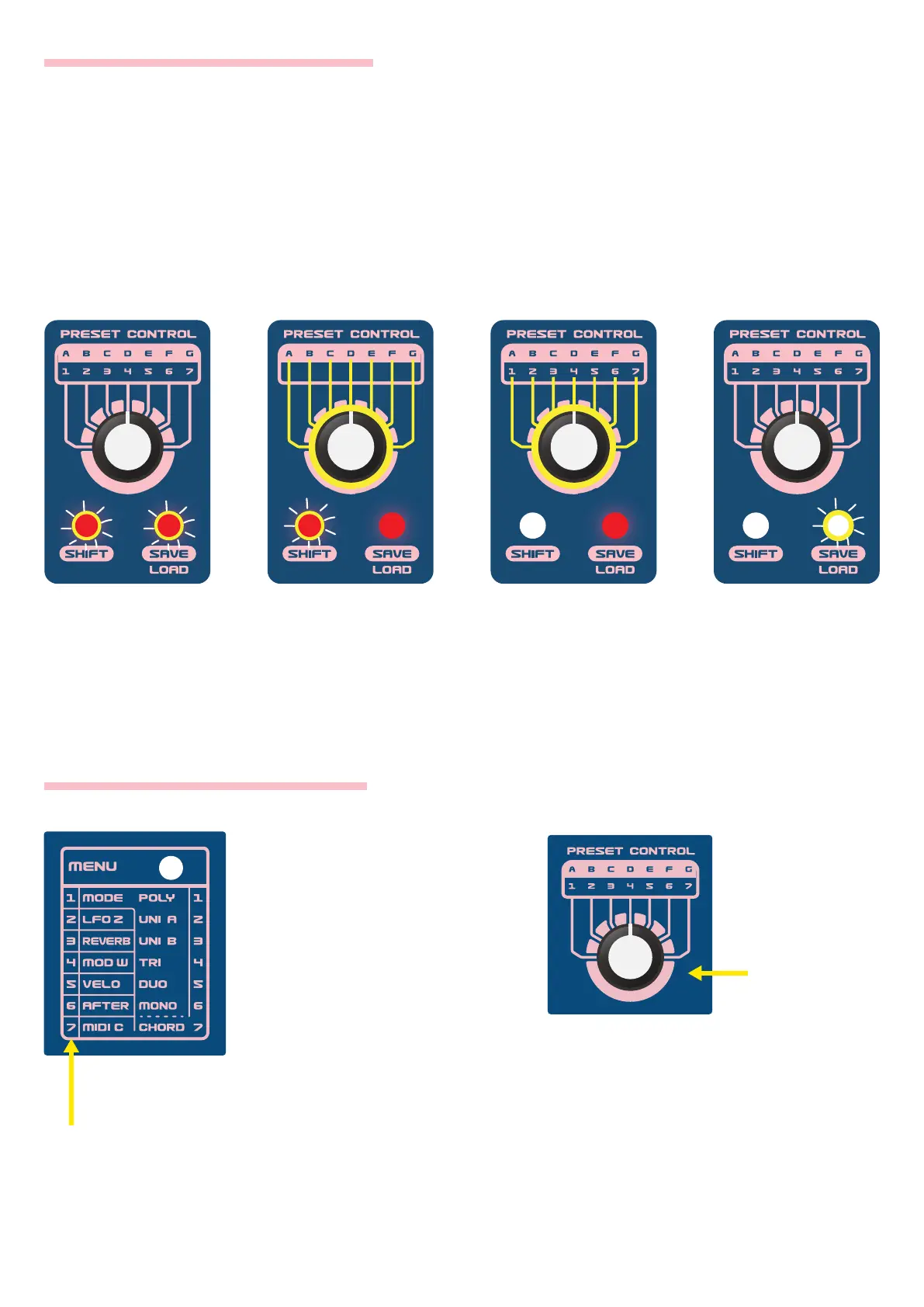
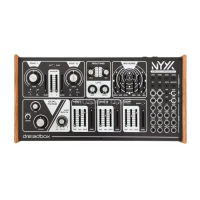
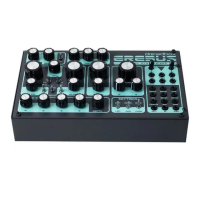
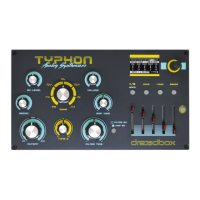
1. While holding
down SHIFT,
press SAVE. Its
LED will ash.
2. With the SHIFT
button ON, select
a bank with the
rotary switch.
3. With the SHIFT
button OFF, select
a preset with the
rotary switch.
4. Press SAVE to
store the selected
user preset.
If you want to save on your current edited preset, just skip step 2 and 3.
HOW TO SAVE A USER PRESET
HOW TO CONTROL THE MENU
Press the MENU button to
access the numeric menu.
While the MENU LED is lit, use
the rotary switch to select the
desired MENU option. Some
of the MENU options will also
have submenus used to
access more parameters.
When an option has a submenu (like
MODE), press the MENU button again
and its LED will ash, to indicate that
the rotary switch is now selecting the
submenu options.
Numeric Menu
Rotary Switch


 To Next Page