18
6. Global Settings
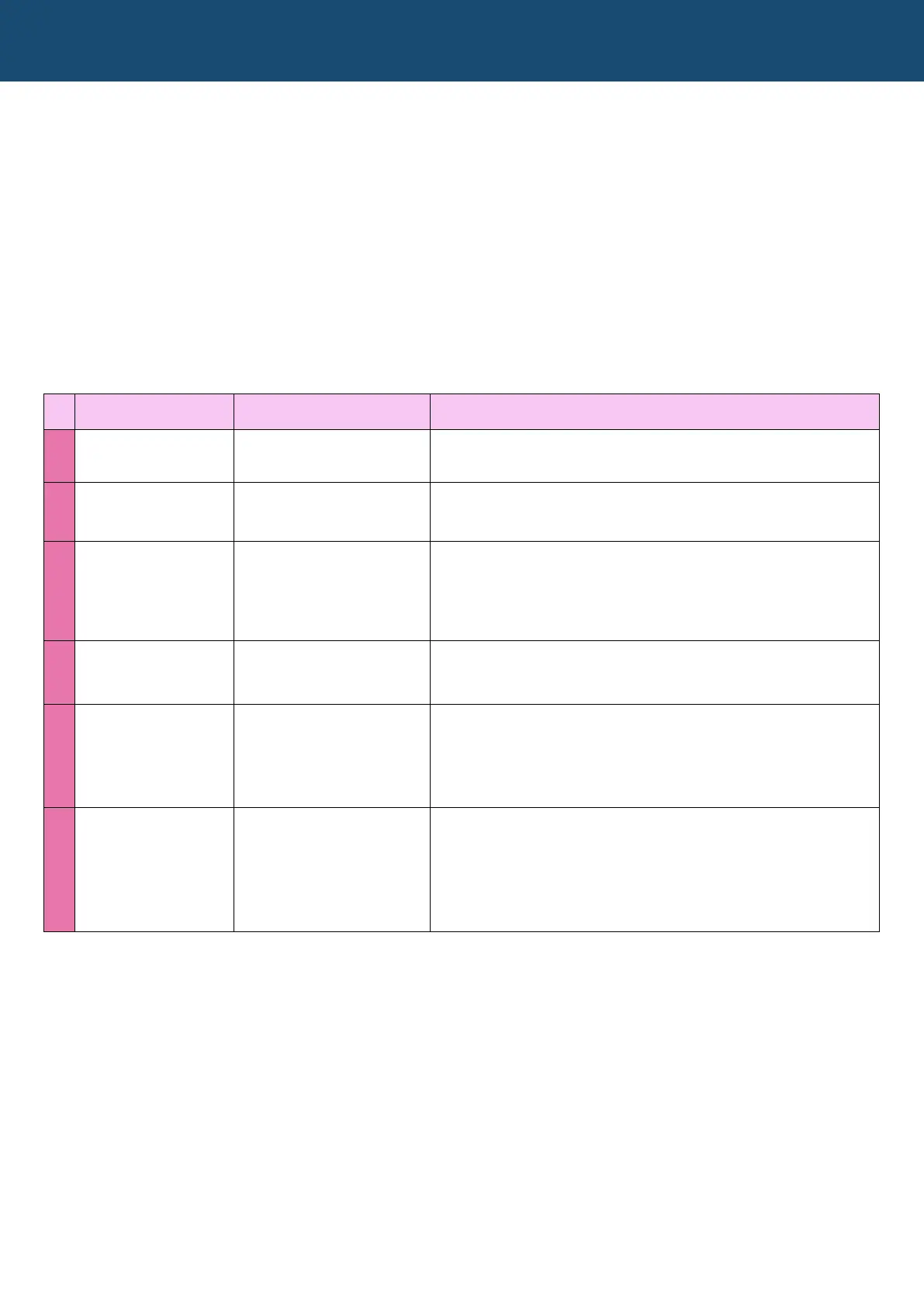
No. Setting Name Possible Values Description
1 PITCH WHEEL From 0 to 12 semitones
Lets you set how much the pitch wheel will fully shift the
pitch. Use the LFO WAVE slider (slider 14) to adjust.
2 FINE TUNE +/- 4 Semitones
Lets you ne tune the instrument as a whole. Use the LFO
WAVE slider (slider 14) to adjust.
3 SLIDERS Jump or Catch
Lets you decide whether the slider value automatically
jumps to the position of the slider, or you have to move the
slider past the stored value before it responds (catch). Use
the LFO WAVE slider (slider 14) to select.
4 LOAD PREVIEW Off/On
Lets you turn patch preview on or off, where you can
preview the stored patch before loading it. Use the LFO
WAVE slider (slider 14) to turn on or off.
5 CC In: Off/On Out: Off/On
Lets you turn on or off whether the Nymphes responds to
midi CC values. Use LFO RATE slider (slider 13) to set. Lets
you turn on or off whether the Nymphes sends midi CC
values. Use the LFO WAVE slider (slider 14) to set.
6 PROGRAM CHANGE In: Off/On Out: Off/On
Lets you turn on or off whether the Nymphes responds to
program change messages. Use the LFO RATE slider
(slider 13) to set. Lets you turn on or off whether the
Nymphes sends program change messages. Use the LFO
WAVE slider (slider 14) to turn to set.
The global settings offer six more parameters that affect the Nymphes’ operation. These are the only
parameters that are saved outside of the normal patch settings. See the MENU MAP for a graphic description
of the steps outlined below.
To access the Global Settings:
1) Press the MENU button, which will light
2) Select option 7 (MIDI CHANNELS)
3) With SHIFT lit, press the MENU button again, which will start ashing slowly
4) With the rotary switch, select options 1 through 6 to access to the various Global Settings
5) With either the LFO RATE slider (slider 13) or the LFO WAVE slider (slider 14), adjust the settings as desired.
The list of Global Settings


 To Next Page