17
Clean the Dust Bin and Filter
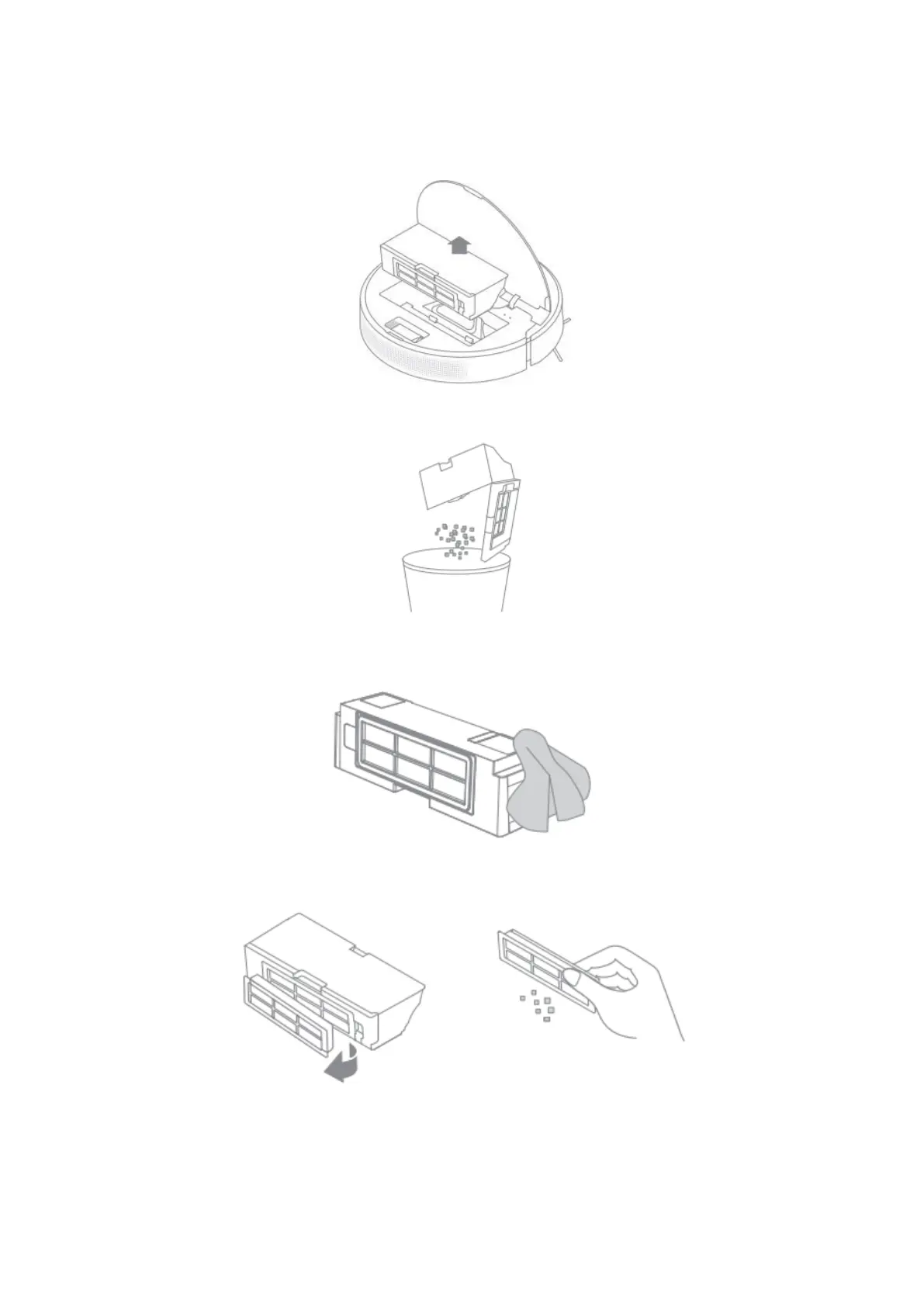
1. Open the robot cover and press the bin clip to remove the dust bin.
2. Open the bin cover and empty the bin as shown in the diagram.
3. Clean the auto-empty vent.
4. Remove the filter and tap its basket gently.
Note: Do not attempt to clean the filter with a brush, finger, or any sharp objects so as to
avoid damaging it.





 To Next Page