18
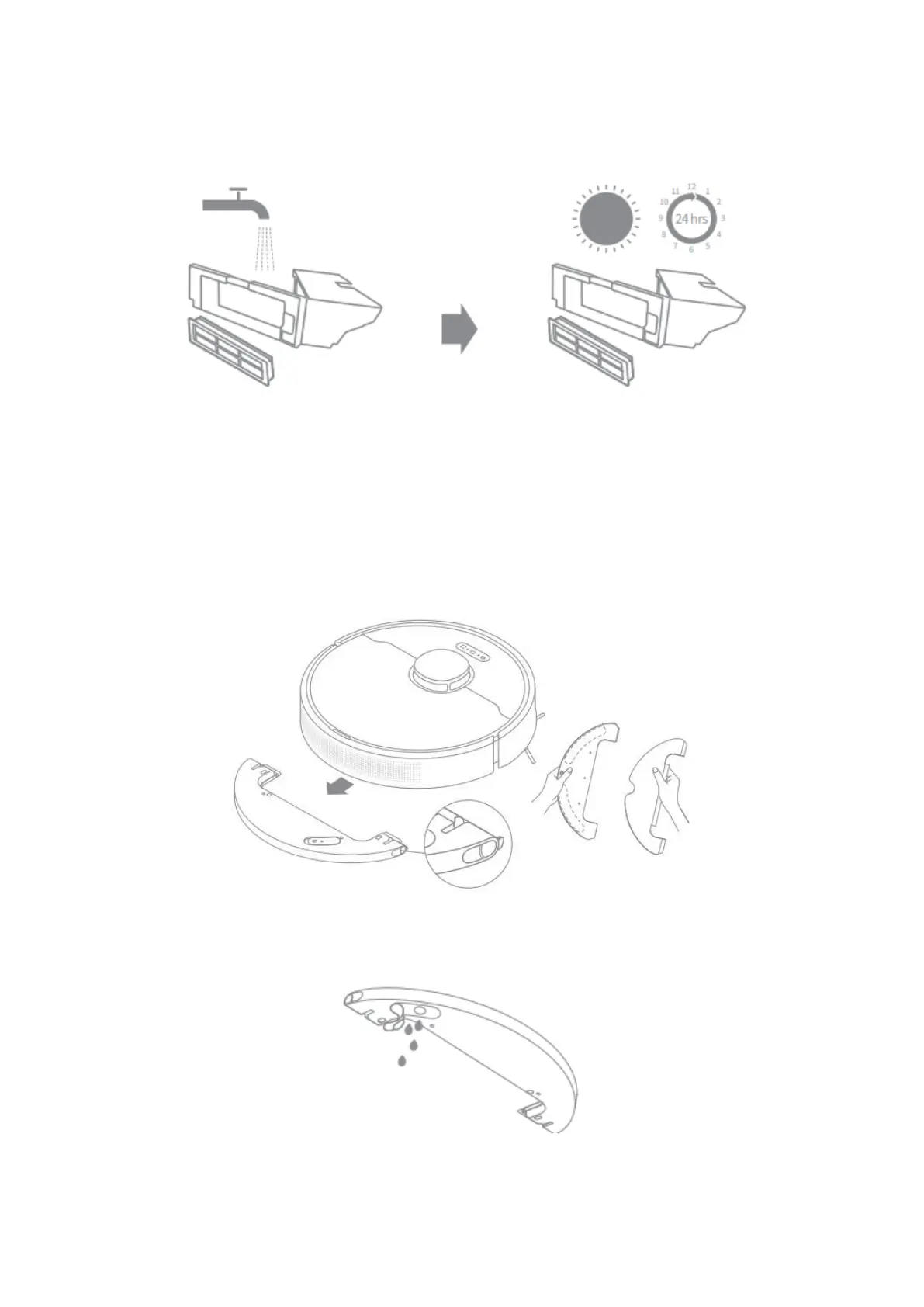
5. Rinse the dust bin and filter with water and dry them completely before
reinstalling.
Note:
• Rinse the dust bin and filter with clean water only. Do not use any detergent.
• Use the dust bin and filter only when they are completely dry.
Clean the Mopping Module
1. Slide the two release clips on the side of water tank to remove the mopping
module, and then pull the mop pad off the mopping module.
2. Pour out the water in the tank. Clean with water only and leave to aid dry before
re-installing.
Note: Do not directly expose the water tank to sunlight.





 To Next Page