15
Scheduled Cleaning
You can schedule cleaning time in the Mi Home/Xiaomi app. The robot will automatically
start cleaning at the designated time and then return to the charging dock to recharge
when the cleaning is done.
More APP Functions
Follow the instructions on the APP interface to use more functions. The version of the app
might have been updated, and please follow the instructions based on the current app
version.
Use the Mopping Function
It is recommended that all floors are vacuumed at least three times before the first
mopping session to achieve better cleaning effect.
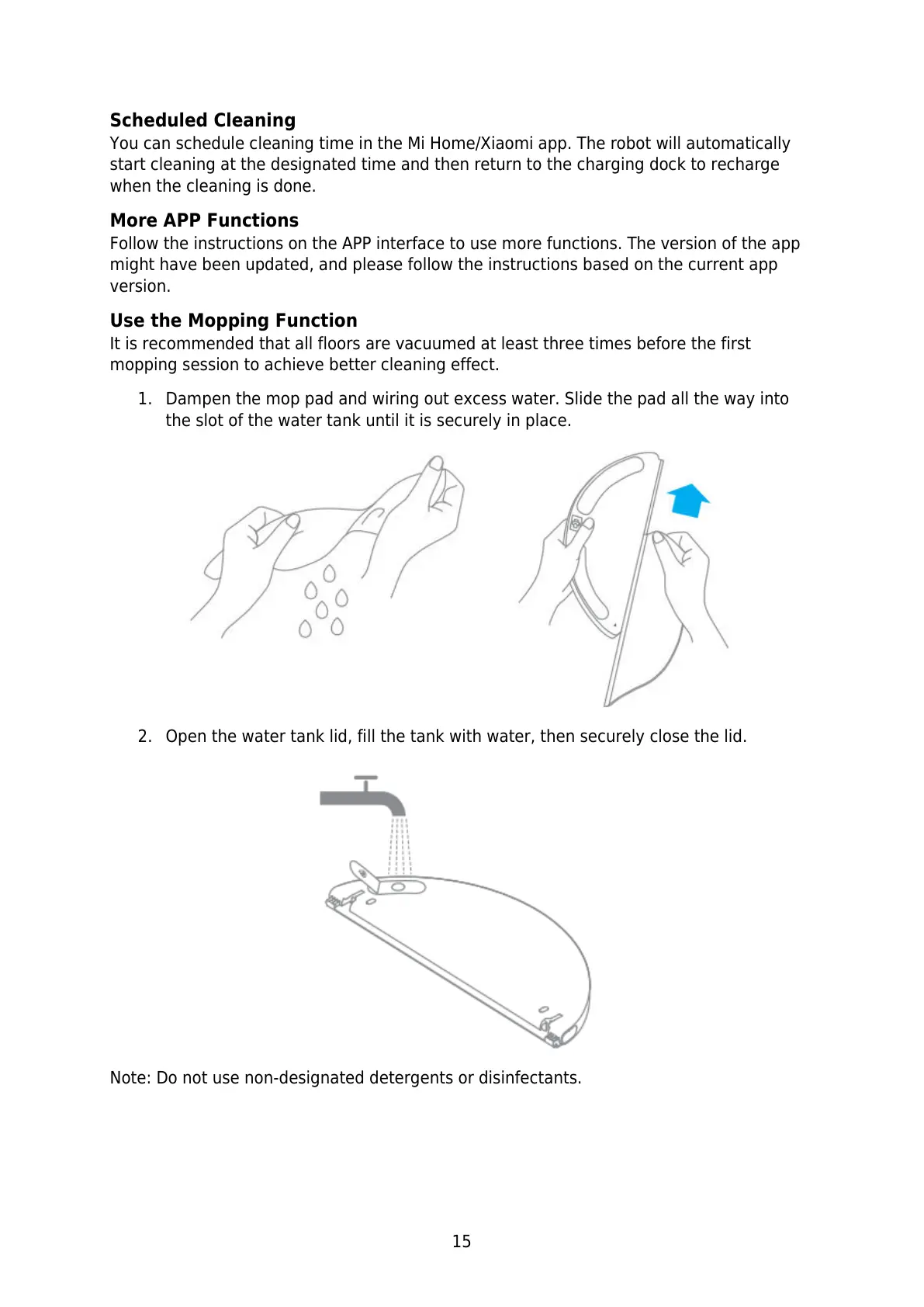
1. Dampen the mop pad and wiring out excess water. Slide the pad all the way into
the slot of the water tank until it is securely in place.
2. Open the water tank lid, fill the tank with water, then securely close the lid.
Note: Do not use non-designated detergents or disinfectants.






 To Next Page