19
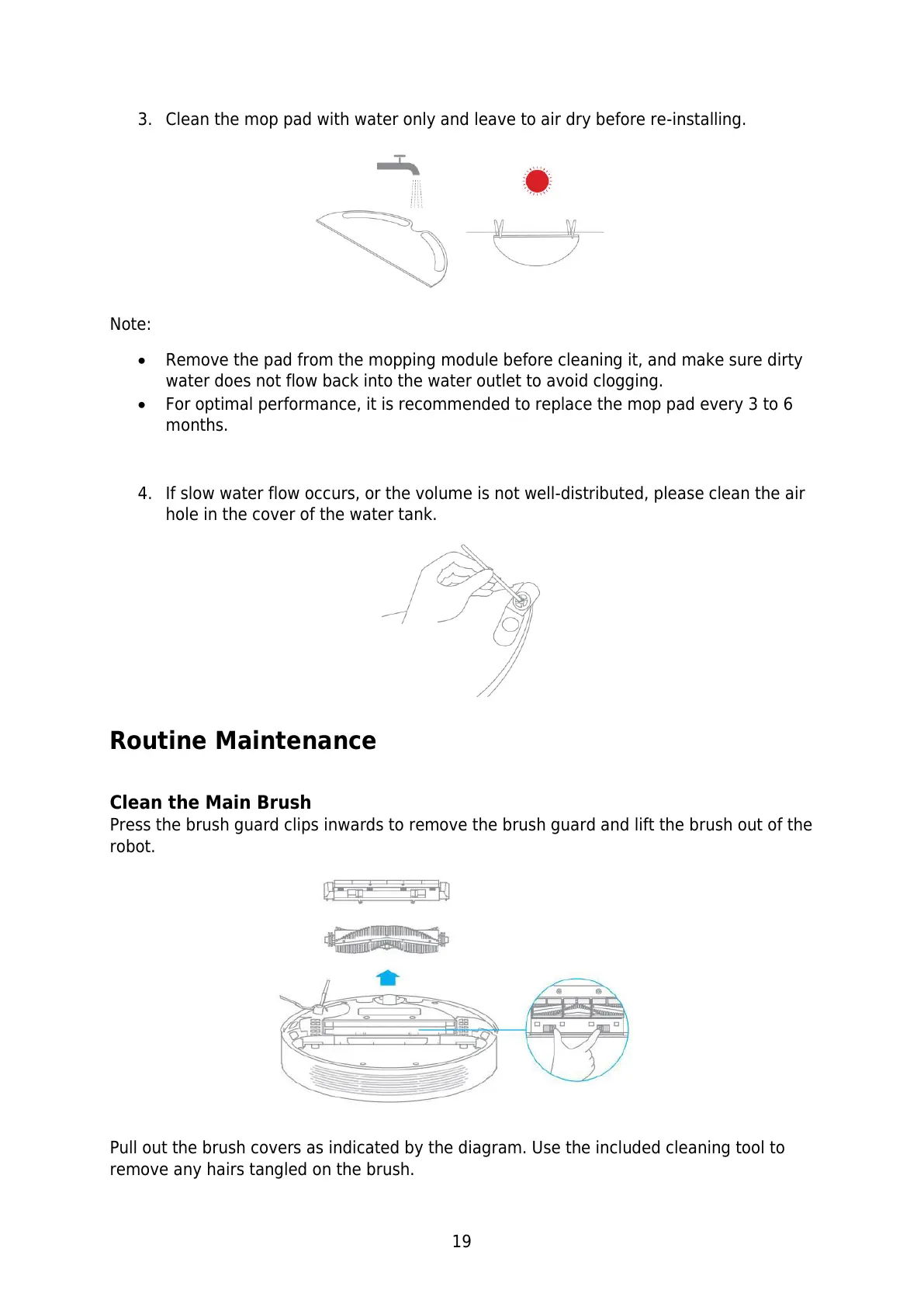
3. Clean the mop pad with water only and leave to air dry before re-installing.
Note:
Remove the pad from the mopping module before cleaning it, and make sure dirty
water does not flow back into the water outlet to avoid clogging.
For optimal performance, it is recommended to replace the mop pad every 3 to 6
months.
4. If slow water flow occurs, or the volume is not well-distributed, please clean the air
hole in the cover of the water tank.
Routine Maintenance
Clean the Main Brush
Press the brush guard clips inwards to remove the brush guard and lift the brush out of the
robot.
Pull out the brush covers as indicated by the diagram. Use the included cleaning tool to
remove any hairs tangled on the brush.






 To Next Page