17
Routine Maintenance
Clean the Dust Bin and Filter
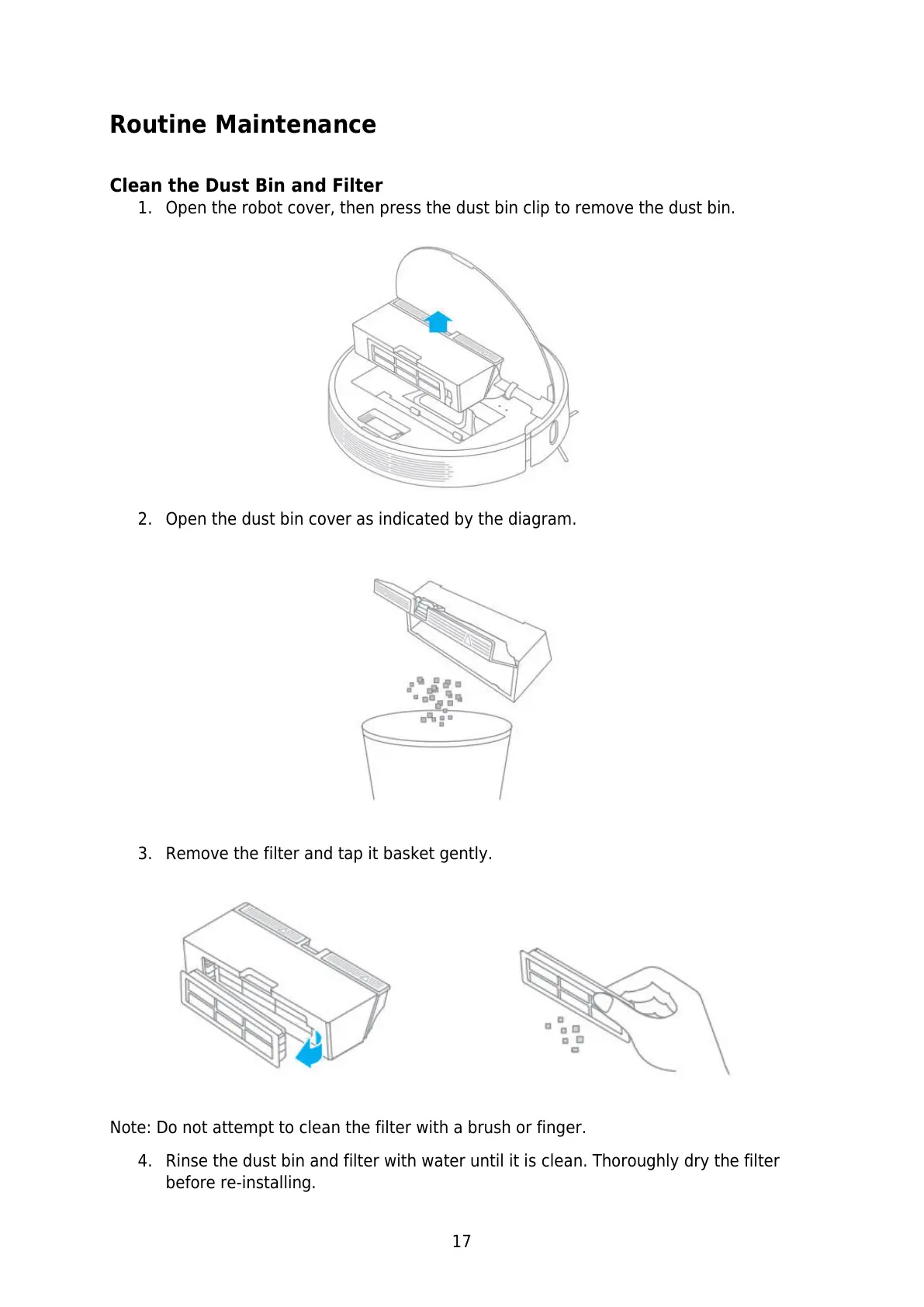
1. Open the robot cover, then press the dust bin clip to remove the dust bin.
2. Open the dust bin cover as indicated by the diagram.
3. Remove the filter and tap it basket gently.
Note: Do not attempt to clean the filter with a brush or finger.
4. Rinse the dust bin and filter with water until it is clean. Thoroughly dry the filter
before re-installing.






 To Next Page