Troubleshooting
Problem Solution
Robot cannot connect to Wi-Fi.
There is something wrong with the Wi-Fi connection. Reset the Wi-Fi and download the latest version of the
Dreamehome app, then try reconnecting.
Location permission is not open. Please ensure the location permission on the Dreamehome app is enabled.
Wi-Fi signal is weak. Make sure the robot is in an area with good Wi-Fi coverage.
5GHz Wi-Fi is not supported. Please ensure your robot connects to 2.4GHz Wi-Fi.
The username or password of Wi-Fi is incorrect. Please enter the correct username and password.
Robot does not perform scheduled
cleaning.
The robot has low battery. Scheduled cleaning will not start unless the robot has at least 15% battery left.
Does leaving the robot on the
charging dock consume power if
it is already fully charged?
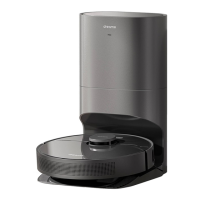
Leaving the robot on the charging dock after it's fully charged consumes very little electricity and helps maintain
optimal battery performance.
No water comes out of the water
tank, or only a little bit comes out.
Check whether there is water inside the water tank.
Clean the mop if it becomes dirty.
Make sure the mop pad is installed correctly according to the User Manual.
Robot doesn’t return to charging
dock after being moved.
Manually place the robot onto the charging dock.
For more support, contact us via https://global.dreametech.com
EN
20


 To Next Page