EasyManua.ls Logo

Dreame T30 Neo - User Manual

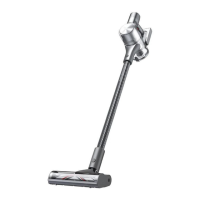
Dreame T30 Neo
98 pages
Print Icon
To Next Page IconTo Next Page
Loading...
For more information, please visit www.dreame-technology.com
Manufactured by: Dreame Trading (Tianjin) Co., Ltd.
Made in China
VTE3-EU-A00
"追觅

Dreame Technology Co., Ltd. and its subsidiariesDreame
追觅
Cordless Stick Vacuum
User Manual

Questions and Answers

  • K
    Kim RodriguezJul 28, 2025
    Why does my Dreame T30 Neo have weak suction force?
    • K
      Kathryn WilsonJul 28, 2025
      If your Dreame Vacuum Cleaner has weak suction, the dust cup might be full or the filter assembly could be clogged. Empty the dust cup and clean the filter assembly. Also, check the attachment for any blockages and clear them.
  • S
    Stephanie WhitneyAug 1, 2025
    What to do if the battery indicator does not light up when charging my Dreame T30 Neo?
    • M
      Michael LopezAug 1, 2025
      If your Dreame Vacuum Cleaner's battery indicator doesn't light up when charging, ensure the charger is properly plugged into the vacuum. If it's plugged in correctly, the battery may be fully charged and in sleep mode, in which case the vacuum can be used normally. If the problem persists, please contact the after-sales service department for maintenance.
  • N
    nathaniel11Aug 5, 2025
    Why does the Dreame Vacuum Cleaner charge slowly?
    • J
      James DavidsonAug 5, 2025
      If your Dreame Vacuum Cleaner is charging slowly, the battery temperature might be too low or too high. Wait until the battery temperature returns to normal before using the vacuum again.
  • R
    Ronald FuentesAug 9, 2025
    Why my Dreame T30 Neo Vacuum Cleaner does not work?
    • M
      Miranda HeathAug 9, 2025
      If your Dreame Vacuum Cleaner isn't working, it might be due to a few reasons. First, make sure it's fully charged. If it is, check for blockages in the suction openings or air duct. Also, the vacuum may have entered overheat protection mode because of a blockage. If this is the case, clear the blockage and wait for the vacuum to cool down before trying to use it again.
  • J
    Joseph CamachoAug 13, 2025
    Why is the motor making a strange noise in my Dreame Vacuum Cleaner?
    • J
      Julia BakerAug 14, 2025
      If the motor of your Dreame Vacuum Cleaner is making a strange noise, check the main suction opening or extension rod for any blockages. Clear any obstructions you find there.
  • A
    aguilarjesseAug 18, 2025
    What to do if the battery runs out on Dreame T30 Neo Vacuum Cleaner?
    • T
      timothy89Aug 18, 2025
      Recharge your Dreame Vacuum Cleaner soon, as the battery has run out.
  • T
    Tina HenryAug 22, 2025
    What to do if filter uninstalled on Dreame T30 Neo Vacuum Cleaner?
    • N
      Nicole TurnerAug 22, 2025
      Ensure that the filter and pre-filter are installed correctly in your Dreame Vacuum Cleaner.

Summary

Safety Instructions

Warning

General safety precautions and warnings for using the vacuum cleaner, including risks to children and electrical hazards.

Product Overview

Accessories

Lists and illustrates the various accessories included with the vacuum cleaner for different cleaning tasks.

Component Names

Identifies and labels all the main physical parts of the vacuum cleaner for user understanding.

Introduction of Display Screen

Explains the functions and indicators shown on the vacuum's digital display screen during operation.

Installation

Vacuum Installation Diagram

Provides visual guidance on how to assemble the main parts of the vacuum cleaner.

Accessories Installation Diagram

Illustrates how to connect the different cleaning accessories to the vacuum body.

2-in-1 Charging & Storage Mount Installation Diagram

Details the process of mounting the charging and storage station onto a wall.

Charging

Charging Methods

Describes the procedures for charging the vacuum either directly or using the charging mount.

Battery Status Display

Explains how to interpret the battery level indicators on the display screen and the unit.

How to Use

Setting Language

Guides users on how to select and set the preferred language for the vacuum's interface.

Working Methods

Explains the two primary modes of operation: Discontinuous and Continuous Cleaning.

Using Different Accessories

Details the specific applications and suitability of each included cleaning accessory.

Care & Maintenance

Tips

Provides general advice for maintaining the vacuum and preserving its warranty.

Cleaning the Vacuum

Instructions on how to clean the main body of the vacuum cleaner with a soft dry cloth.

Cleaning the Dust Cup, Pre-filter, and Cyclone Assembly

Step-by-step guide on how to empty and clean the dust collection system for optimal performance.

Installing the Dust Cup, Pre-filter, and Cyclone Assembly

Instructions for correctly reassembling the dust cup, pre-filter, and cyclone parts.

Cleaning the Filter

Detailed steps for washing and drying the vacuum cleaner's filter to maintain suction power.

Installing the Filter

Guide on how to properly insert and secure the cleaned filter back into the vacuum.

Cleaning the Multi-Brush Bar

Instructions on removing, cleaning, and drying the main brush bar, including cutting tangled hairs.

Cleaning the Mini Motorized Brush

Guide for cleaning the small motorized brush head, including its roller brush.

Battery Pack

Information on the removable battery pack, its limitations, and replacement procedures.

Specifications

FAQ

Troubleshooting

Dreame T30 Neo Specifications

General IconGeneral
Cleaning typeDry
Vacuum air filtering-
Dirt separating methodFiltering
Suitable for all types of surfaceYes
Brush shapeRectangular
Product colorBlack, Grey
Dust container typeBagless
Power sourceBattery
Charging time4 h
Battery voltage29.6 V
Battery capacity2.9 Ah
Power consumption (typical)550 W
Vacuum brushes includedMini motorized brush
Weight and Dimensions IconWeight and Dimensions
Weight- g

Related product manuals