31
SETUP
When the unit is powered on for the first
time (or if a factory reset is performed)
the Touchscreen will present the
following screens:
• Select a country
• Select a language
• End-user license agreement (EULA)
After following the directions in the prior
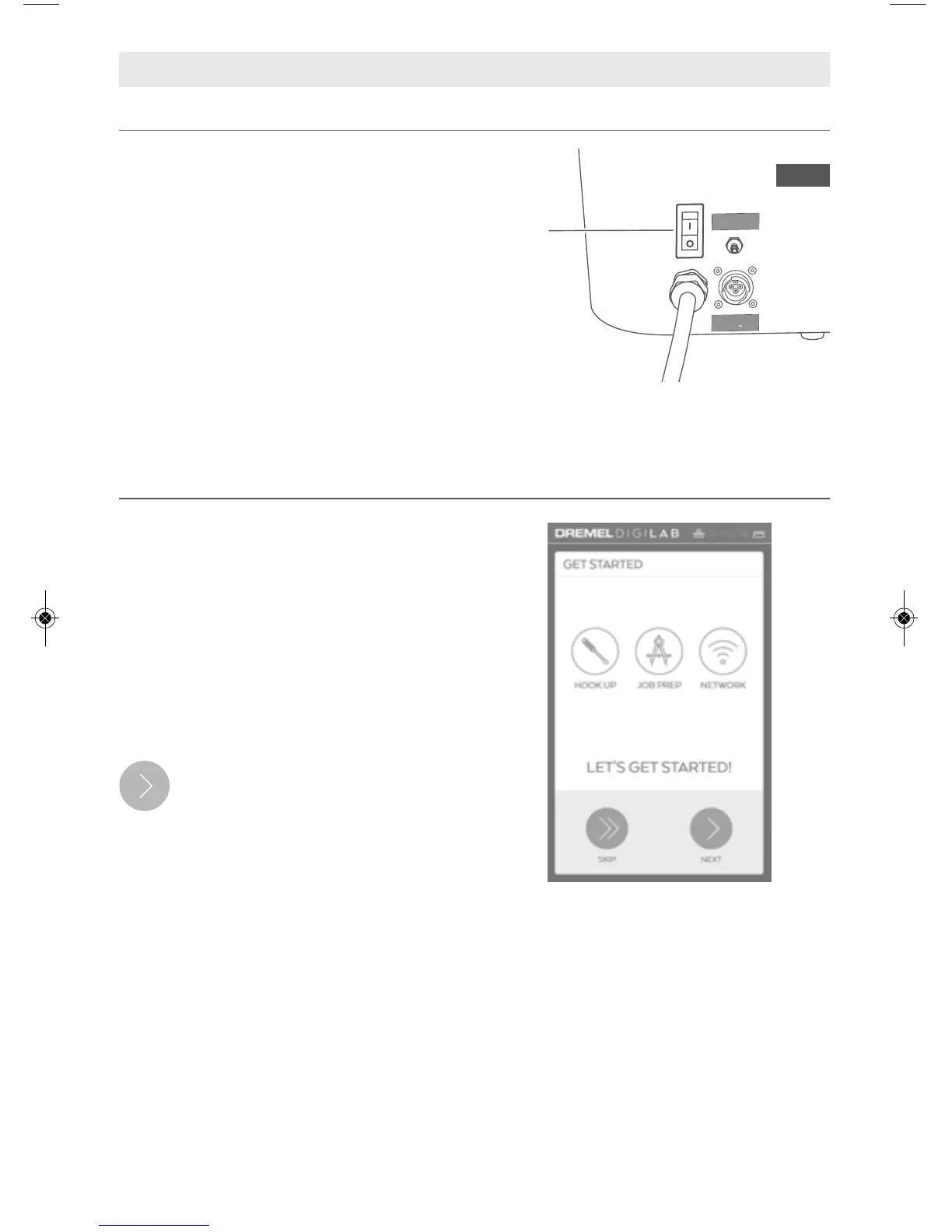
screens, the Get Started screen will
appear.
Tapping the Next button starts the
hook up screens. The screens
review previous steps outlined in
the Operating/Safety Instructions.
After confirming all hoses and
connections are correct, stop at the Start
Pump screen and follow the instructions
below.
Get Started
Locate the Power Switch at the back of
the unit (above the Power Cord) and turn
the Dremel LC40 Laser Cutter on, Fig. 20.
Turn On the Dremel LC40 Laser Cutter


 To Next Page
 Loading...