34
PCU LED
34
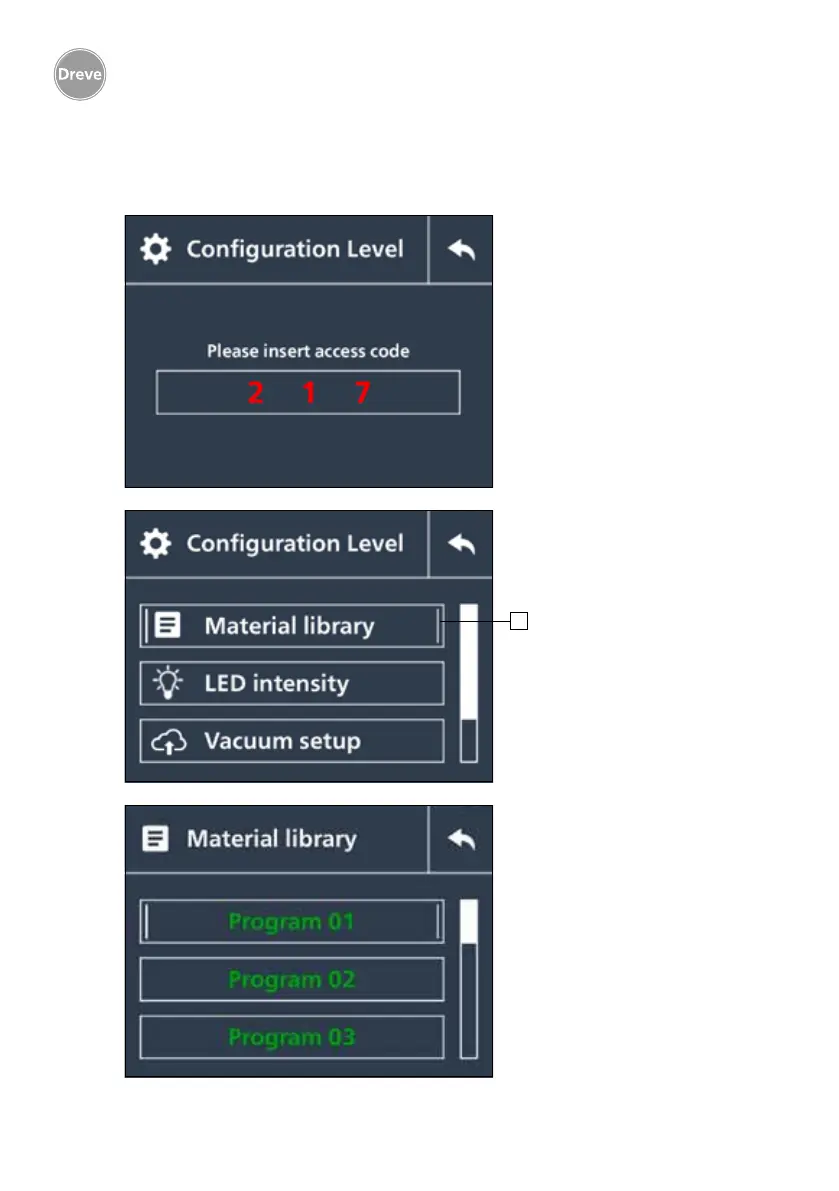
Access to the
configuration level
Entry of the access code 217
(Status 03/2017)
Please confirm the code after
entry. The access code cannot
be freely selected and can also
change in the case of a firm-
ware update.
Configuration level
in overview
1 – Orientation line:
A vertically oriented narrow bar at
the left and the right margin of the
selected window is provided for
guidance purposes
Selection of the process
parameters
10 programme blocks available
for programming
Green – activated for the
user level
White – not activated for the
user level
Setting the process parameters
– press the rotary button
> 5 seconds
8.4. Operation: Process level
1


 To Next Page