13
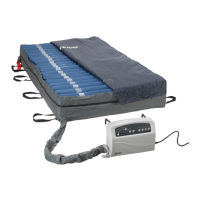
Step 3 Press the Auto Firm button to automatically inate the mattress to the maximum level
(55mmHg) for about 20 minutes. The pressure will return to a previously set level
after 20 minutes.
Step 4 Once fully inated, the control unit will switch into alternating therapy mode at the default
setting of 10 min and 30mmHg. Select desired settings from the touch panel to adjust the
cycle time and pressure level to the patients’ specic requirements.
Note
Press the Autorm mode button from the touch panel to provide a rm surface that makes it easier for the patient
to transfer or reposition. The system will revert back to the previously selected therapy mode after 20 mins.
Note
During normal operation, the unit will monitor pressure. If the mattress pressure is lower than the set
pressure, the pump will automatically inate the mattress to readjust to the set level. The alarm will beep
and its LED will come on to alert a low pressure condition.
Press the Mute button to mute the information signal. The information signal LED will
continue ashing.
Press the Mute button again to re-enable the audible information signal.
Note
For suitable pressure, please refer to page 14 for the hand check procedure.
CPR function
When there is an emergency requirement to perform CPR on the patient, pull the CPR strap at the head
section of the mattress to release the air quickly from the mattress.
Pressure range selection (+/-)
Users can adjust the pressure level of the air mattress, using the (+) and (-) buttons, to a desired rmness
based on personal comfort or weight setting.
Note
It is recommended to press Auto Firm on the panel when the mattress is rst inated. Users can then
easily adjust the air mattress to a desired rmness according to the patient’s weight and comfort.
Low pressure indicator
When the air pressure in the system falls below the selected pressure range, a low pressure condition will
signal the low pressure indicator. Check if the connections are secure and correctly installed according to
the relevant instructions.
OPERATION



 To Next Page