Drobo 5C User Guide
103
1.5.1 Enabling Automatic Check for Software
Updates
If the Automatic check for software updates feature is not enabled on the Drobo
Dashboard, then follow these steps to enable it to keep your Drobo Dashboard and your
Drobo 5C’s firmware up to date automatically.
1. Launch the Drobo Dashboard from the host computer and select the Drobo 5C
device on the All Drobos page.
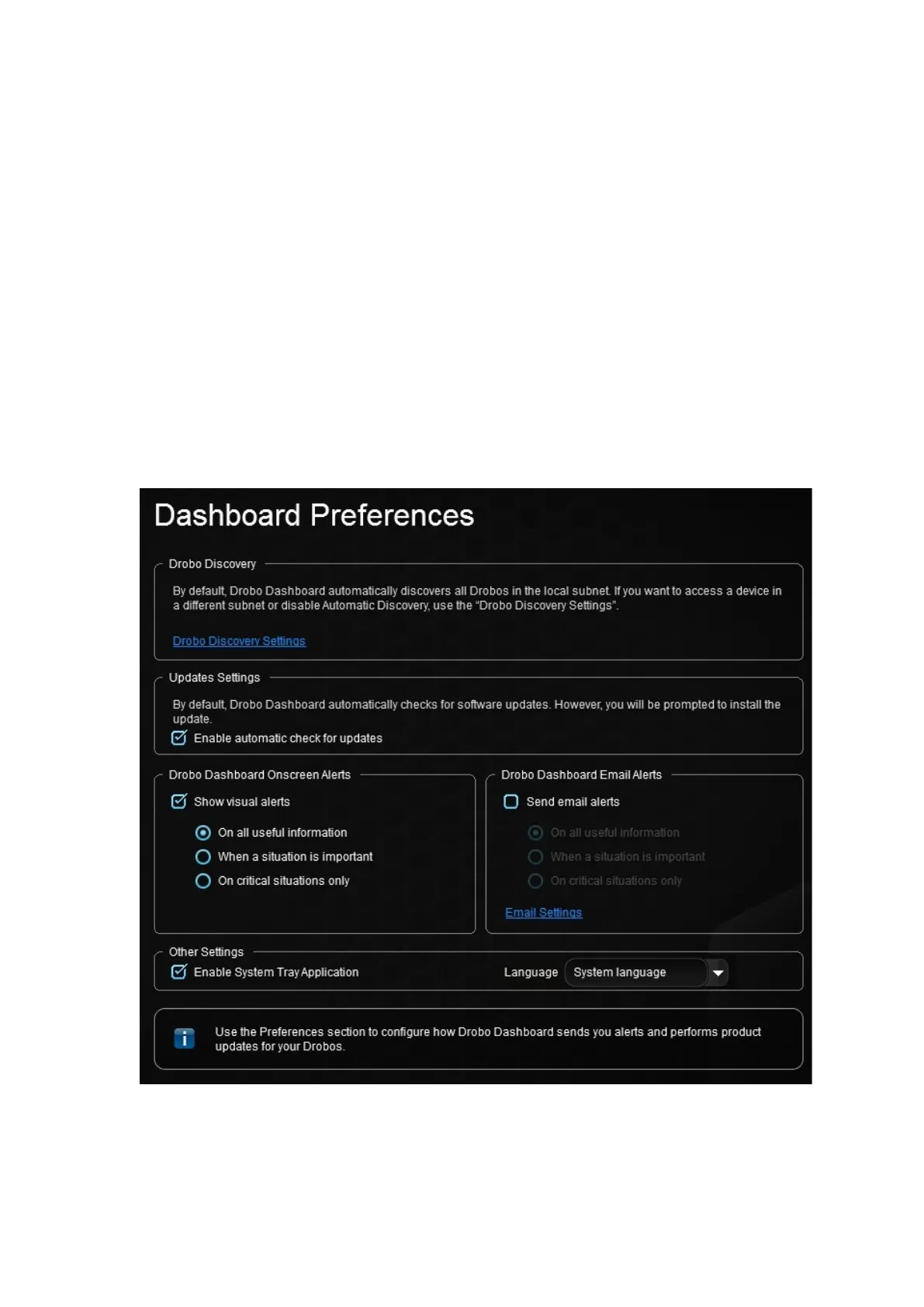
2. Click Dashboard Preferences on the Navigation menu.
The Dashboard Preferences page opens.
3. Ensure that the Enable automatic check for updates check box is selected, and then
click the OK button.



 To Next Page