Drobo 5C User Guide
119
1.7.1.2 Viewing Storage Usage
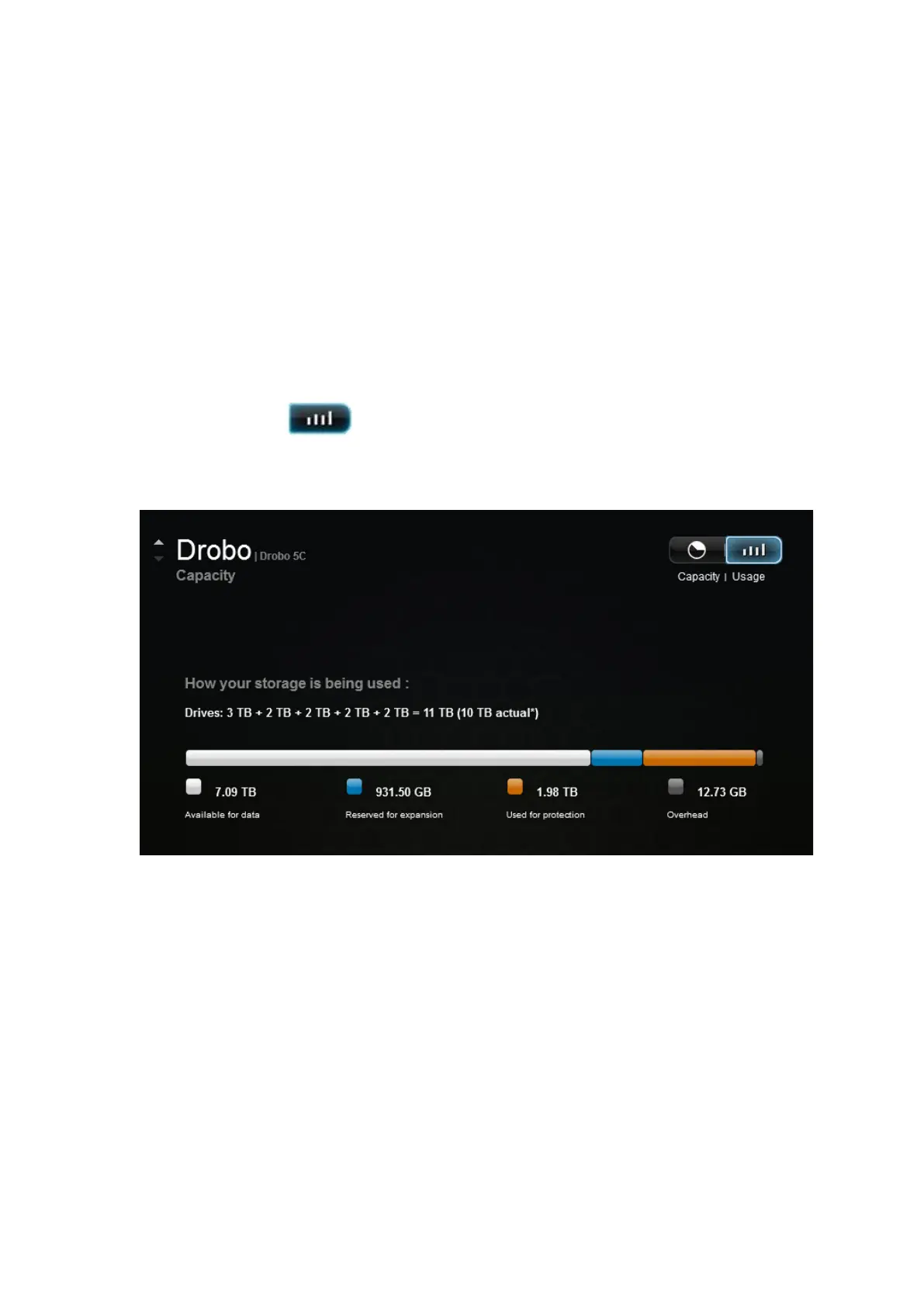
The Storage Usage view of the Capacity page displays a capacity breakdown bar, which
provides more detailed information about how your drive space is being used on the
Drobo 5C.
1. In Drobo Dashboard on the All Drobos page, select the Drobo device whose storage
usage you would like to view, and click the Capacity option on the Navigation menu.
The Capacity page for that Drobo device opens.
2. Click the Usage button.
The Storage Usage view of the Capacity page displays.
The capacity breakdown bar displays the following:
● Available for data – The total protected capacity available on which to store your
data.
● Reserved for expansion – The capacity reserved for future use. When one drive is
larger than the others, the difference between the largest and the second largest drive is
reserved for future use. This capacity becomes available when you add a larger capacity
drive or replace a smaller capacity drive with a larger capacity one.



 To Next Page