Drobo 5C User Guide 84
1.4.1.2.2 Manually Updating Firmware from the Website
To manually update the firmware from the website, take the following steps.
1. Go to Start Drobo 5C page and download the appropriate firmware file for your
Drobo product (a zip file for the PC or a dmg file for the Mac), saving it to a folder that
is not located on your Drobo 5C. If there is only one firmware file (a zip file), this file
functions for both the Mac and Windows-based computers.
Please ensure that you have read and write privileges to this folder.
2. Launch the Drobo Dashboard and select Drobo 5C from the All Drobos page. Also, if
applicable, log in to this Drobo device.
3. Click the Tools option on the Navigation menu for the selected Drobo device to open
the Tools page.
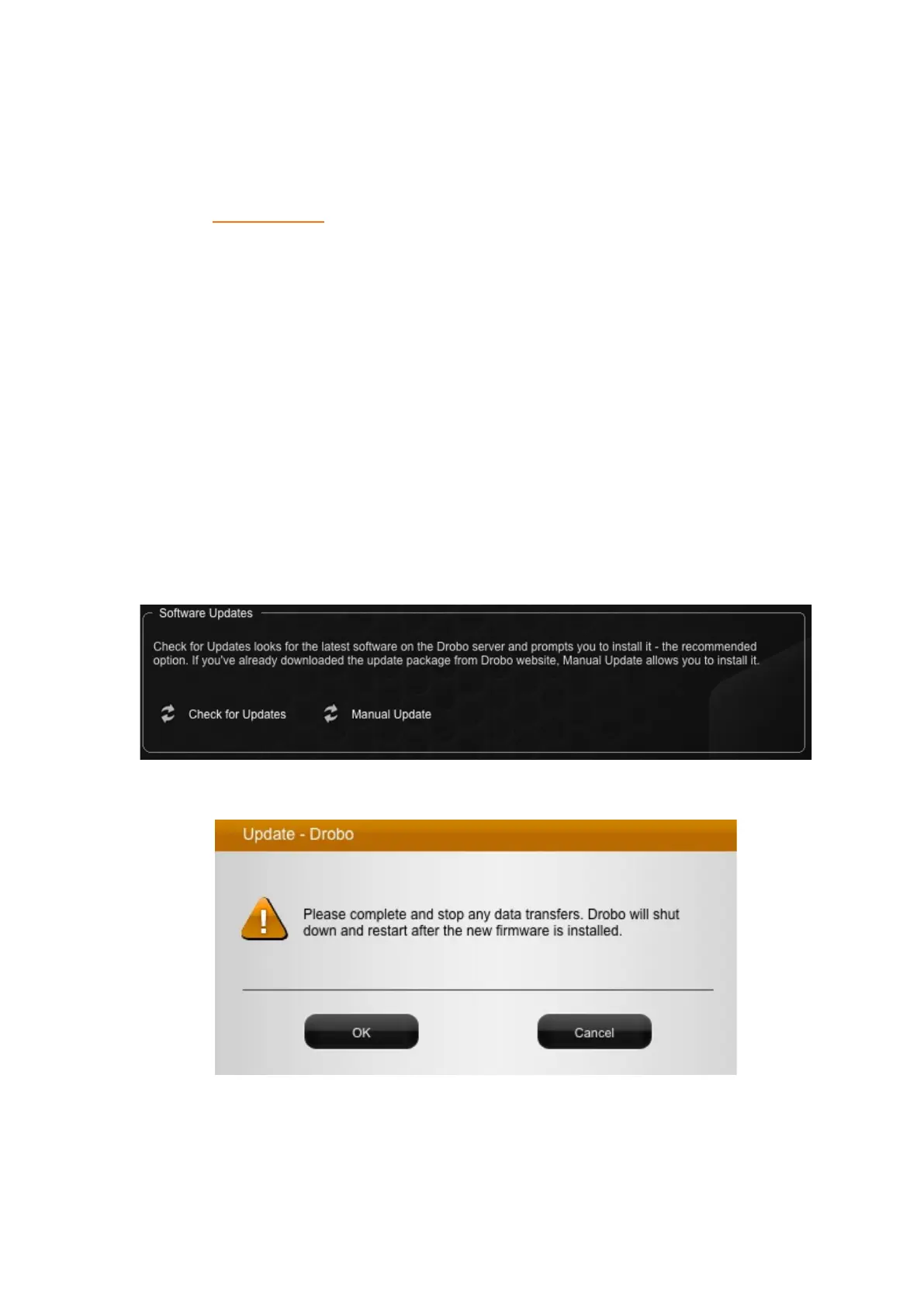
4. In the Software Updates area, click the Manual Update option.
A warning message opens, asking you to complete or stop any data transfers.
5. Ensure that the Drobo device is not actively transferring data (blinking yellow and
green), and then click the OK button.
A dialog box opens, asking you to locate the zip file on your computer.



 To Next Page