Drobo 5C User Guide
148
1.8.4 Modifying When to Send On-Screen Alerts
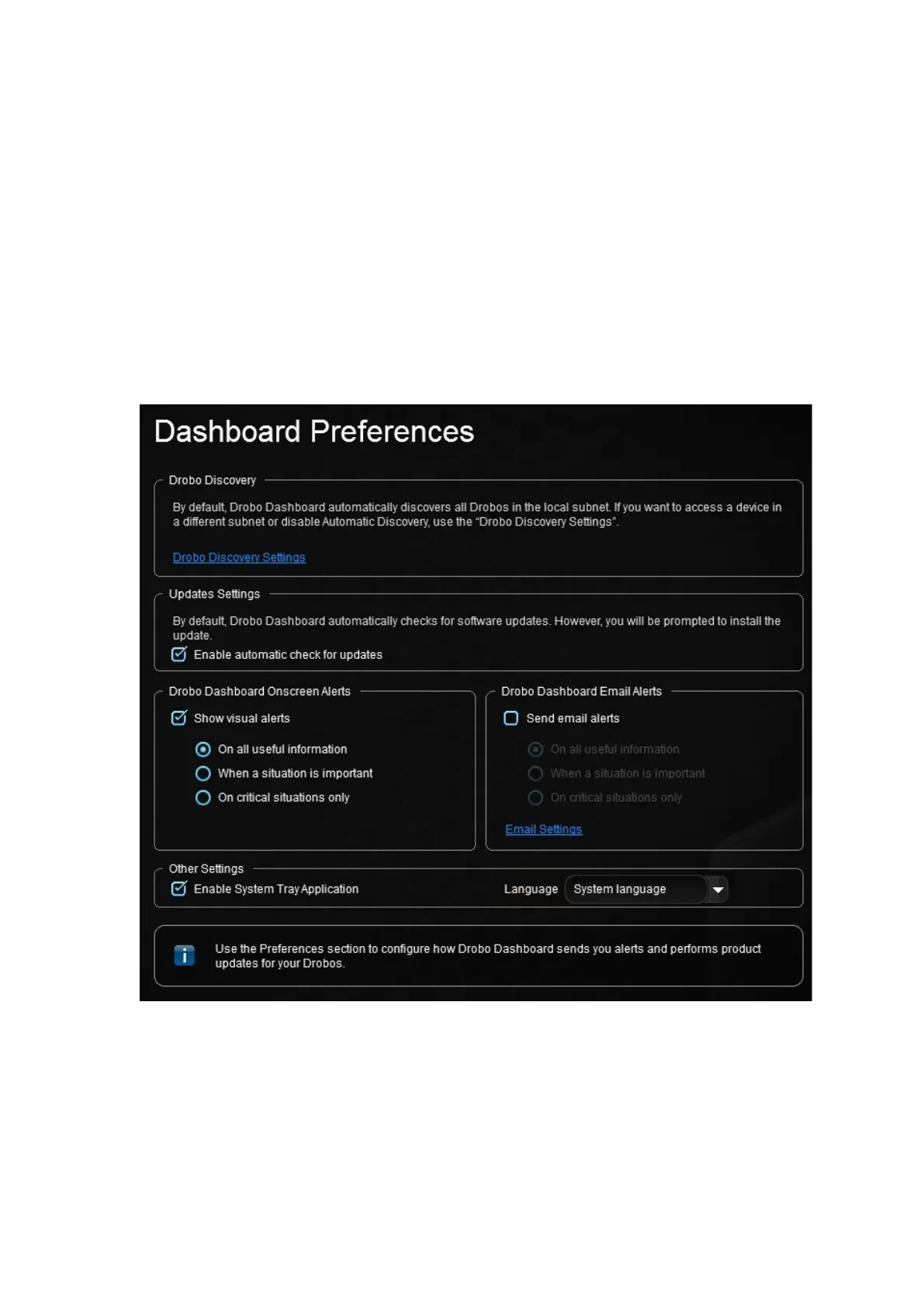
You can modify when to send on-screen alerts on all your connected Drobo devices,
such as only when the situation is critical.
1. In Drobo Dashboard, click the Dashboard Preferences option on
the Navigation menu.
The Dashboard Preferences page opens.
2. In the Drobo Dashboard Onscreen Alerts area, ensure the Show visual alerts check
box is selected to enable this feature, and then modify your selection of one of the
following options as needed for the level of alerts you want:



 To Next Page