Drobo B810n Getting Started Guide 17
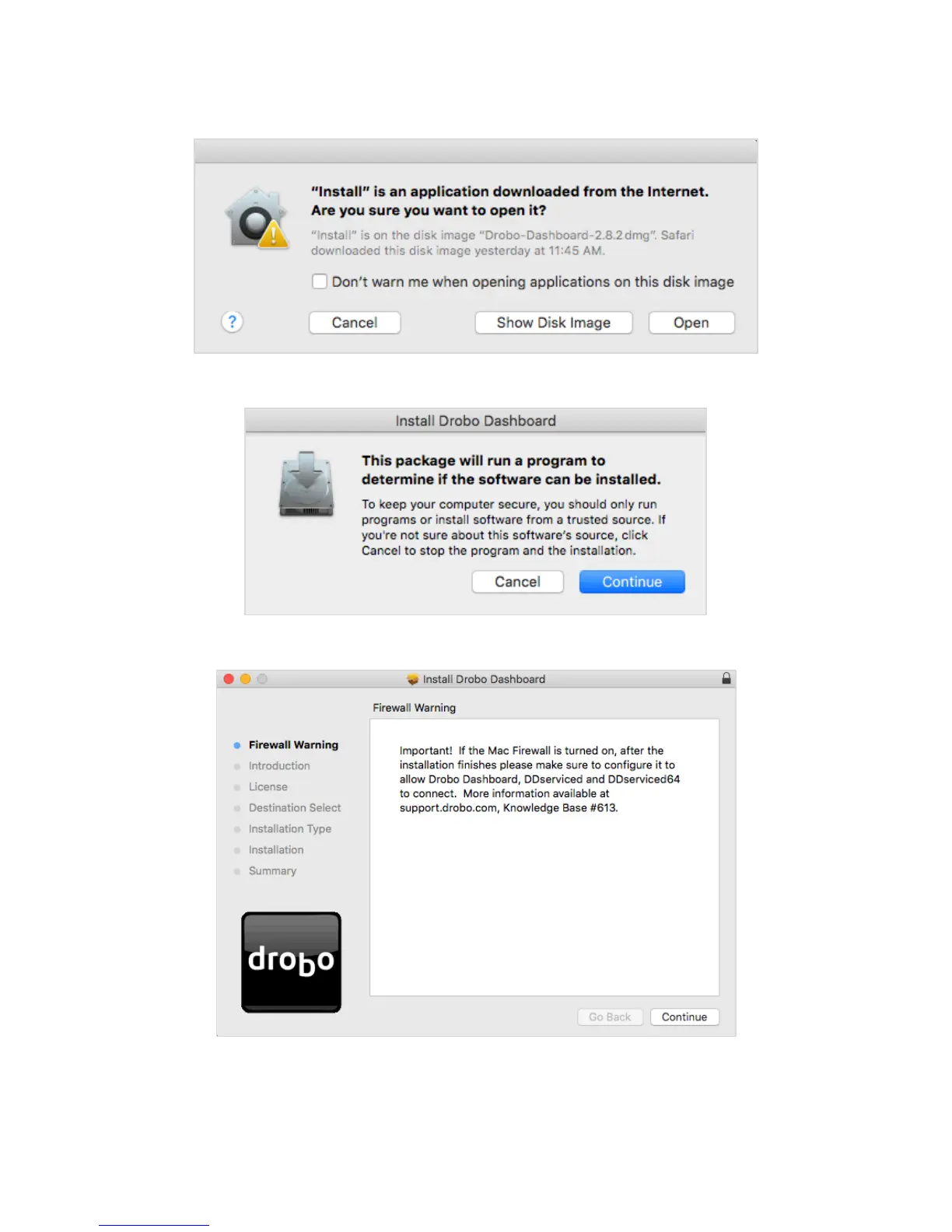
2. A pop up will appear asking whether to open the Installer. Click Open.
3. The Install Drobo Dashboard page will appear. Click Continue to proceed to the next screen.
4. The Firewall Warning page appears. Click Continue.
5. Next, the Installation Wizard page appears. Click Continue to proceed.



 To Next Page