Drobo B810n Getting Started Guide 5
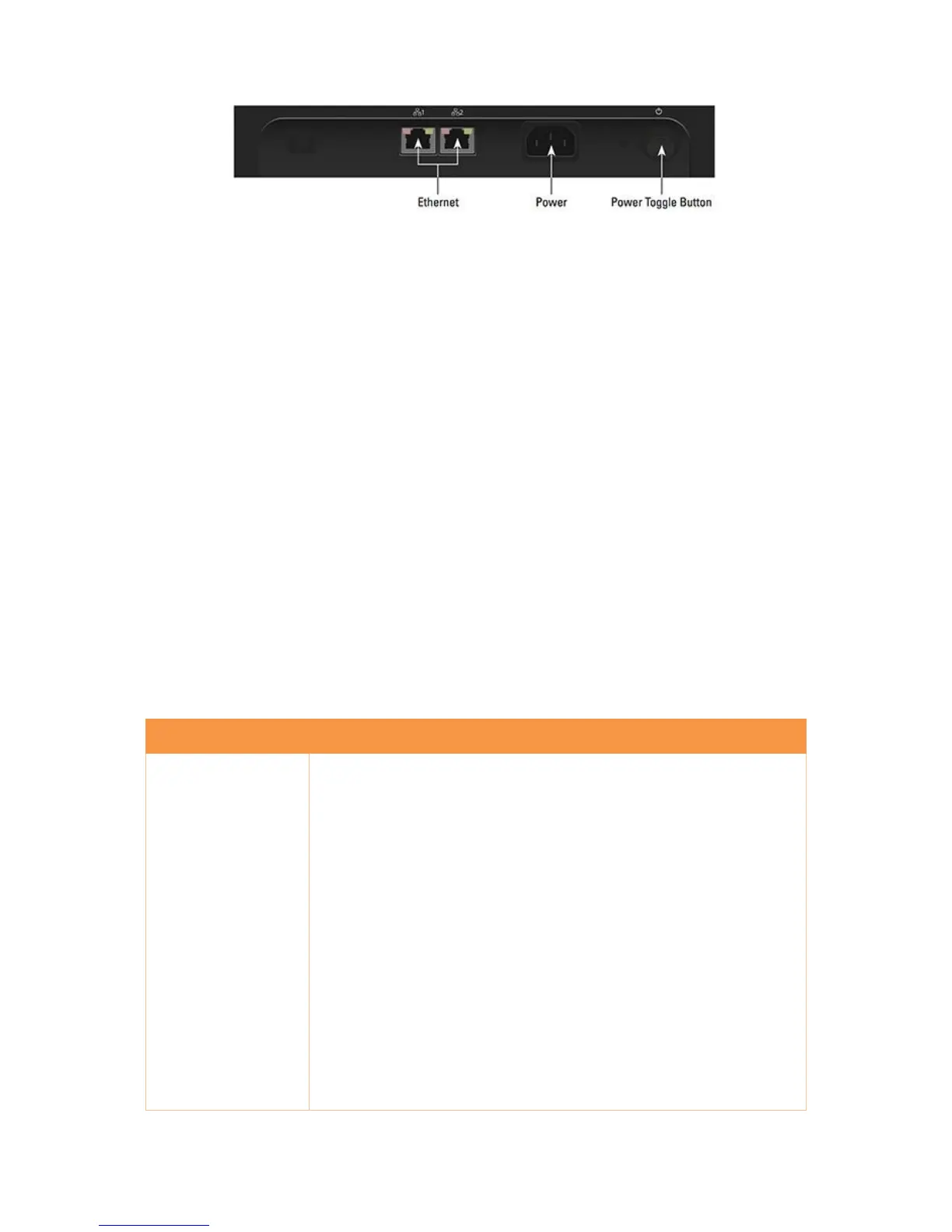
Figure 3: Rear panel of Drobo B810n
1.2 Checking box contents
Ensure that your product's box contains all the components listed below.
Drobo B810n
2 x 6 ft (1.8 m) Ethernet cables
6 ft (1.8 m) Power Cord
Quick Start Card
International LED Labels for Front Panel (German, French, and Japanese)
Optional Accessories
Drobo 8-Bay Rack Mount Kit
1.3 Checking system requirements
This article provides the system requirements for using Drobo B810n.
Operating systems supported for the Drobo B810n include:
Apple® Macintosh® Mac OS X 10.8 or higher
Microsoft® Windows®10 32- and 64-bit
Microsoft® Windows® 8/8.1 32 and 64 bit
Microsoft® Windows® 7 32 and 64 bit
Microsoft® Windows® Server 2012 32 and 64 bit
Microsoft® Windows® Server 2008 R2 32 and 64 bit
Note 1: For best performance and interoperability, ensure that you are
running the latest service packs for the appropriate Windows operating
systems.
Note 2: For the most current list of supported operating systems, check the
specifications for your products online at Drobo B810n Specifications.



 To Next Page