Drobo B810n Getting Started Guide 7
When you insert drives into the Drobo B810n device, the pre-existing data on the drives will be erased.
You can choose HDDs from any manufacturer and with any capacity. For choosing SSDs, please visit
our web page to view the compatible drive options.
1.4.2 Recommended number and type of drives
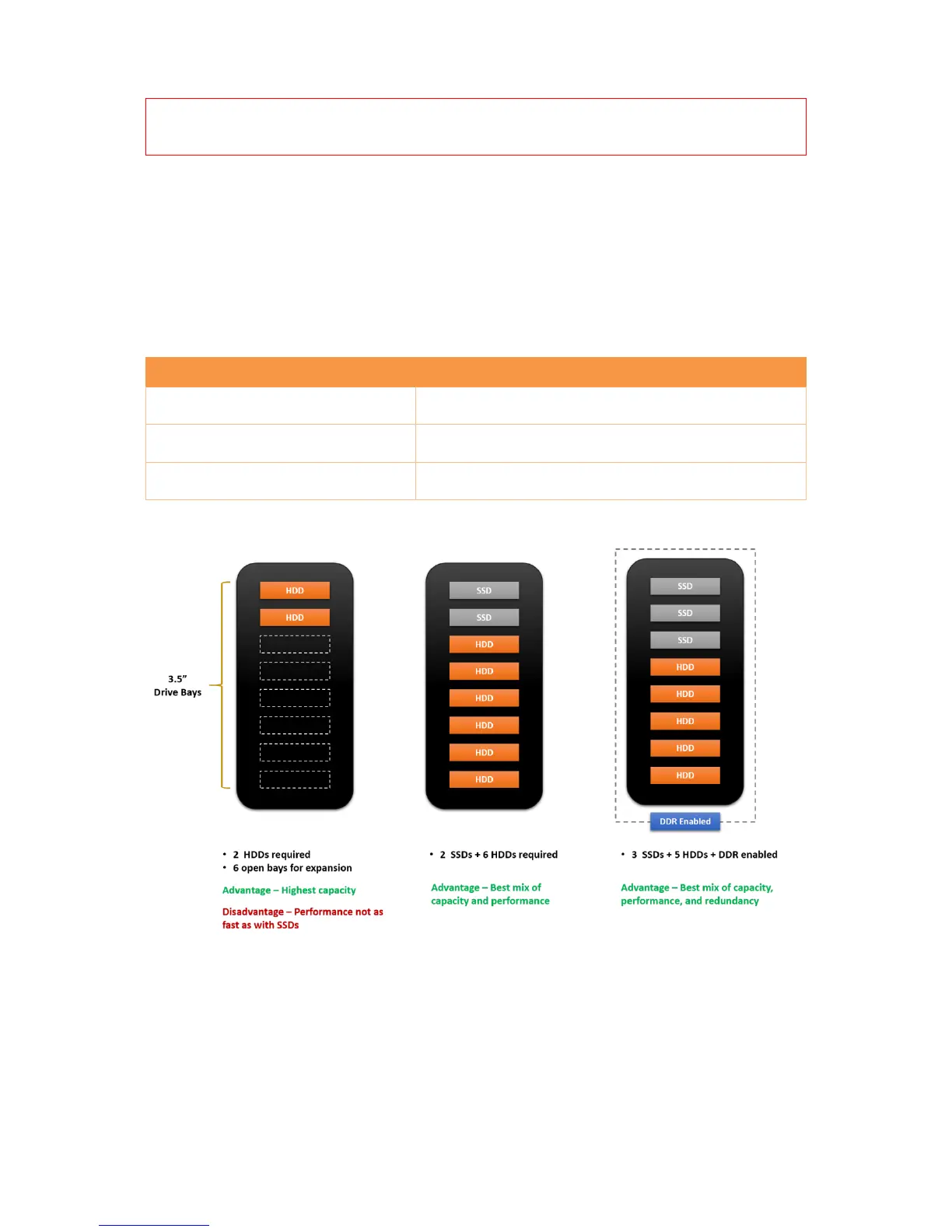
Here are the recommended number and type of drives you can use with your Drobo B810n device.
Note that you need at least two drives in the drive bays to ensure your data is protected in the event
of drive failure.
Best mix of capacity & performance
5 HDDs + 3 SSDs + DDR enabled
Best mix of capacity, performance & redundancy
For a performance comparison of these options, see the following illustration.
1.4.2.1 Additional SSD benefits
Adding SSDs to your Drobo B810n provides multiple benefits. Along with accelerating the IOPS
(Input/Output Operations Per Second) of the unit, SSDs also enable other advanced capabilities, such
as Hot Data Cache (requires 1 SSD) and Data-Aware Tiering (requires 2 SSDs in Single Disk
Redundancy mode, 3 SSDs in Dual Disk Redundancy mode). SSDs must be added in addition to the
minimum 2 HDDs.



 To Next Page