13
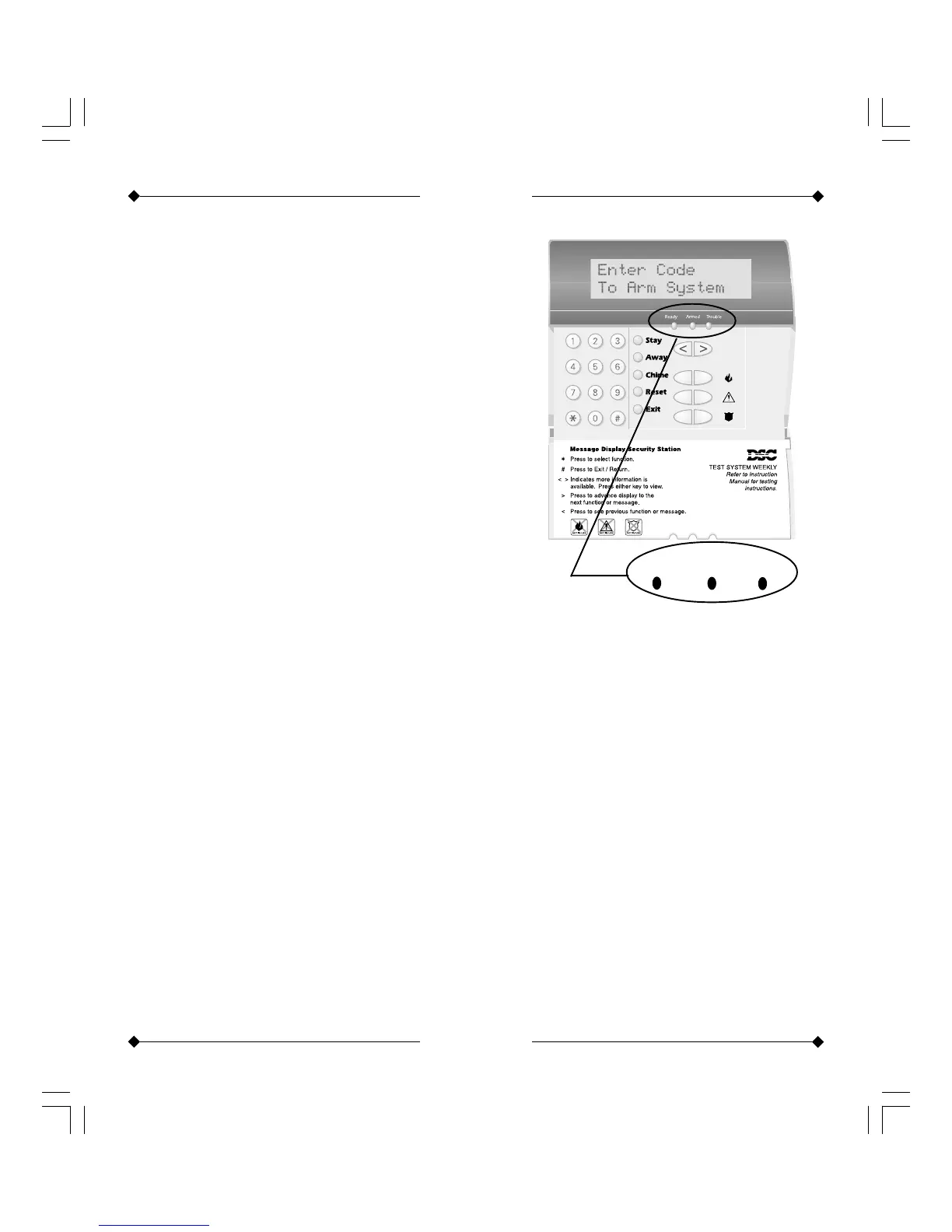
Power Up
If the keypad is showing the orange
“Trouble” LED, there is a problem
with the panel. To find more detail on
the problem, press [*][2]. The default
Master Code is [1234] and the default
engineer code is [5555].
Initial Start Up
Ready Armed Trouble
20
[*] Commands
[*][8] Access to Engineering Functions
Press [*][8][Engineer Code] to enter
engineering functions (Installation
Manual, page 12).
[*][9] Arming without Entry Delay
Press [*][9][Access Code] the panel
will remove the entry delay from the
partition.
[*][0] Quick Arm/Quick Exit
Press [*][0] to quick arm the system.
Ensure section 015, light 4, is pro-
grammed ON for this to work. Press
[*][0] when system armed to give
quick exit without unsetting the
system. Momentary bypass.
[*] Commands



 To Next Page