15
Features
Default Settings
Default Settings
001 Zone Definitions
Zone 1 01 Entry/Exit
Zone 2 25 Interior Delay
Zone 3 03 Instant
Zone 4 03 Instant
Zone 5 03 Instant
Zone 6 05 Stay/Away
Zone 7 00 Null Zone
Zone 8 00 Null Zone
005 System Times
Entry Delay 1 030 Seconds
Entry Delay 2 045 Seconds
Exit Delay 030 Seconds
Bell Cut-Off 020 Minutes
006 Engineer Code
Default 5555
007 Master Code
Default 1234
013 First System Option Codes
Double End Of Line Resistors
164 Bell Delay
Default 000 Minutes
Features
18 Features
[*] Commands
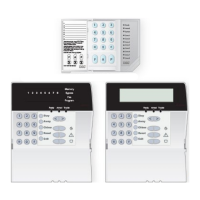
The Classic PC1565 allows for the
access of information and outputs by
using [*] commands. These com-
mands are very similar on all DSC
products.
[*][1] Zone Bypass Features
Enter [*][1]. Bypass light flash. Enter
two-digit zone number to bypass.
Zone light ON; push [#] key.
[*][2] Display Troubles
Press [*][2] to view trouble conditions.
Keypad will flash trouble light and
LED keypad zone light(s) to indicate
troubles. See Installation Manual,
page 13 for detailed explanation.
[*][3] Alarm Memory
Press [*][3]; the keypad will flash the
memory light and light up zones
according to alarms or tampers that
occurred during last armed period. To
clear, arm and disarm system.
[*][4] Door Chime ON/OFF
Press [*][4] to turn on chime. The
keypad will beep three times to
indicate ON and one long beep to
indicate it is OFF. If you have a
problem with chime on other zones
check the zone attributes and turn
OFF option 03.
[*] Commands



 To Next Page