EasyManua.ls Logo

DSC TL260 - User Manual

DSC TL260
48 pages
Print Icon
To Next Page IconTo Next Page
Loading...
3G2060
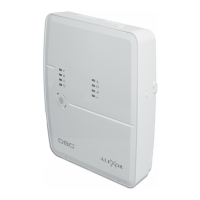
HSPA Cellular Alarm Communicator – International
TL2603G
Internet and HSPA Dual-path Alarm Communicator –
International
TL260
Internet Alarm Communicator – International
INSTALLATION MANUAL V3.0
Warning: This manual contains information on limitations regarding product use and func-
tion and information on the limitations as to liability of the manufacturer.

Questions and Answers

  • E
    Elizabeth SanfordSep 8, 2025
    What does it mean when the yellow LED on my DSC Cell Phone flashes 5 times?
    • R
      Ruben SullivanSep 8, 2025
      If the yellow LED on your DSC Cell Phone flashes 5 times, confirm that cellular service is available and active in your area. Check all antenna connections. Ensure average radio signal strength is CSQ 5 or higher. Ensure the SIM card is properly inserted into the SIM card holder and that it has been activated (this could take up to 24 hours after install). If this trouble persists, relocate the panel (and communicator) or install an external antenna extension kit.
  • L
    Laura RamosSep 7, 2025
    What does it mean when the red and yellow LEDs are flashing together on my DSC Cell Phone?
    • A
      Aaron HensleySep 7, 2025
      If the red and yellow LEDs are flashing together on your DSC Cell Phone, the unit is still initializing. Wait while the unit gets its programming and establishes a connection to all programmed receivers. This process may take several minutes to complete.
  • B
    Bryan WallerAug 22, 2025
    Why is the yellow LED flashing 7 times on my DSC TL260?
    • D
      dukesamanthaAug 22, 2025
      If the yellow LED on your DSC Security System flashes 7 times, it means the receiver is not available. First, ensure that the Ethernet path has internet connectivity. If you are using a static IP address, verify that the gateway and subnet mask are programmed correctly. If a firewall is present, ensure the programmed outgoing ports are open (Default UDP Port 3060 and Port 3065). Also, ensure that all receivers are programmed for DHCP or have the correct IP address and port number. Finally, confirm that the system and all receivers are programmed with a valid account number.
  • A
    Anne NelsonSep 4, 2025
    What to do if my DSC Cell Phone shows no indication?
    • D
      Dominique MorrisonSep 4, 2025
      If your DSC Cell Phone shows no indication, the cause may be no power. Check the power connections between the panel and the communicator. Also, confirm the PC-LINK cable is properly installed between the communicator and the panel.
  • J
    John MorenoSep 3, 2025
    Why are the green LEDs flashing rapidly on my DSC TL260?
    • A
      Alexandra ShepardSep 3, 2025
      If the green LEDs are flashing rapidly on your DSC Security System, it means the hardware default jumper is still in place. Remove the jumper.
  • T
    Tiffany RussellSep 1, 2025
    How to fix all 4 LEDs flashing together on my DSC Security System?
    • H
      Henry BergSep 2, 2025
      If all 4 LEDs are flashing together on your DSC Security System, it indicates a boot loader failure. To resolve this, disconnect and then reconnect power to the Communicator module.
  • S
    Sabrina GilesAug 31, 2025
    Why are the red and yellow LEDs flashing together on my DSC TL260?
    • R
      Robert RyanAug 31, 2025
      If the red and yellow LEDs are flashing together on your DSC Security System, it means the unit is still initializing. Please wait while the unit establishes a connection to all programmed receivers. Note that this process may take several minutes.
  • R
    robert72Aug 30, 2025
    What to do if the yellow LED flashes 9 times on my DSC TL260 Security System?
    • S
      Stephen MorrisAug 30, 2025
      If the yellow LED on your DSC Security System flashes 9 times, it indicates an FTC (failure to communicate) trouble. This means the unit has exhausted all communication attempts to all programmed receivers for events generated by the Communicator. Restart the system; if the trouble persists, contact your dealer.
  • M
    Michael HawkinsAug 29, 2025
    What does it mean when the trouble LED flashes 2 times on my DSC Security System?
    • J
      Jennifer VincentAug 29, 2025
      If the trouble LED on your DSC Security System flashes twice, it indicates a panel supervision trouble. Check that panel Section [382] Toggle [5] is set to ON, which enables the Ethernet Module. Also, ensure the PC-Link cable between the Control Panel and the Communicator is connected properly (not reversed) and securely in place.
  • J
    Joshua VelasquezAug 27, 2025
    Why is the yellow LED flashing 12 times on my DSC TL260?
    • X
      xsimsAug 27, 2025
      If the yellow LED on your DSC Security System flashes 12 times, it means there's a module configuration trouble. This usually happens when the System Account Code or Receiver Account Code is programmed with all 0s or all Fs (e.g., FFFFFF). To fix this, check Sections [851][021], [101], and [111] to confirm the account numbers.

Summary

General

Important Installation Notes

Key instructions and warnings that must be followed during installation.

Safety Information for Users

Instructions for the installer to convey to the system user regarding product safety.

Pre Installation Configuration

Remote Programming Configuration via DLS 5

Step-by-step guide for configuring the communicator remotely using DLS 5 software.

Communicator Installation Configuration

Installing the Ethernet Cable

Instructions for correctly installing the Ethernet cable for the TL2603G/TL260 models.

SIM Card Installation and Removal

Procedure for inserting and removing the SIM card from the communicator.

Installing Cellular;Ethernet Communicator in Panel

Installing Communicator with PC Panels

Detailed steps for installing the communicator into specific panel models.

Installing Cellular;Ethernet Communicator in Panel (continued)

Module Power Connection to Panel

Wiring instructions for connecting the communicator's power to the panel's terminals.

Installing Cellular;Ethernet Communicator in Panel (continued)

Keybus Connection Procedure

Steps to connect the communicator to the panel via the keybus.

Install Network Cable

Instructions for routing and plugging in the network cable for supported models.

Communicator Placement Test

Initial Panel Programming

Communicator Status LEDs

Yellow Trouble LED Indicator

Explains the yellow LED's function and coded flashes for troubleshooting.

Panel Supervision Trouble Indicator

Details the conditions and reporting codes for Panel Supervision Trouble.

Communicator Status LEDs (continued)

Communicator Reset and Update Procedures

Factory Defaults Reset Procedure

Steps to reset the communicator to its factory default settings.

Firmware Update Process

Information on how to update the device's firmware.

Communicator Troubleshooting Guide

Trouble LED Indications and Solutions

Lists trouble indications, possible causes, and solutions based on LED flashes.

Ethernet;Cellular Programming Options

Ethernet IP Address Configuration

Settings for configuring the communicator's Ethernet IP address.

Ethernet;Cellular Programming Options (continued)

Communicator Status Code Interpretation

Explains the 6-digit hexadecimal code indicating communicator status.

Radio Signal Strength Indicators and Actions

Details signal strength indicators, CSQ levels, and required actions.

Ethernet;Cellular Programming Options (continued)

Installer Code Configuration

Setting the installer code for accessing communicator programming.

System Test Transmission Options

Settings for configuring periodic test transmissions to receivers.

Firmware Update Diagnostics

Provides diagnostic codes related to firmware update status.

Trouble Code Indications and Causes

Lists trouble indicators, their types, and causes.

Ethernet;Cellular Programming Options (continued)

Ethernet;Cellular Programming Worksheets

Ethernet;Cellular Programming Worksheets (continued)

Ethernet;Cellular Programming Worksheets (continued)

Software Default Reset Procedure

Procedure to reset the communicator to factory default settings.

EN50131-1 Installation Requirements

EN50131 Compliant Installation Details

Details specific programming options and certifications for EN50131 compliance.

DSC TL260 Specifications

General IconGeneral
BrandDSC
ModelTL260
CategorySecurity System
LanguageEnglish

Related product manuals