TYPICAL WIRING DIAGRAM
NOTE: A larger version of the Typical Wiring Diagram is available in the product’s operator manual, refer to
DSE Publication: 057-254 DSE8610 MKII Operator Manual available from www.deepseaplc.com for more
information.
Deep Sea Electronics Plc.
Tel:+44 (0)1723 890099
Fax: +44 (0)1723 893303
Email: support@deepseaplc.com
Web: www.deepseaplc.com
Deep Sea Electronics Inc.
Tel: +1 (815) 316 8706
Fax: +1 (815) 316 8708
Email: support@deepseausa.com
Web: www.deepseausa.com
DE EP SEA ELECTRONICS
DSE8610 MKII Installation Instructions
053-182
ISSUE 3
ACCESSING THE MAIN CONFIGURATION EDITOR
• Ensure the engine is at rest and the module is in STOP mode by pressing the
(Stop/Reset) button.
• Press the (Stop/Reset) and (Tick) buttons simultaneously.
If a module security PIN has been set, the PIN number request is then shown:
• The first ‘#’ changes to ‘0’. Press the (Up) or (Down) button to adjust it to the correct value.
• Press the (Right) button when the first digit is correctly entered. The digit previously entered now shows ‘#’ for security.
• Repeat this process for the other digits of the PIN number. Press the (Left) button to move back to adjust one of the previous
digits.
•
When the (Tick) button is pressed after editing the final PIN digit, the PIN is checked for validity. If the number is not correct,
the PIN must be re-entered.
If the PIN has been successfully entered (or the module PIN has not been enabled), the editor is
displayed:
EDITING A PARAMETER
• Enter the editor as described above.
• Press the (Right) or (Left) buttons to cycle to the section to view/change.
• Press the (Up) or (Down) buttons to select the parameter to view/change within the currently selected section.
• To edit the parameter, press the (Tick) button to enter edit mode. The parameter begins to flash to indicate editing.
• Press the (Up) or (Down) buttons to change the parameter to the required value.
• Press the (Tick) button to save the value. The parameter ceases flashing to indicate that it has been saved.
• To exit the editor and save the changes, press and hold the (Tick) button.
• To exit the editor and not save the changes, press and hold the (Stop/Reset) button
.
NOTE: If the editor is left inactive for the duration of the LCD Page Timer, it is automatically exited to ensure security.
NOTE: The PIN number is automatically reset when the editor is exited (manually or automatically) to ensure security.
NOTE: Comprehensive module configuration is possible using the DSE Configuration Suite PC Software, refer to DSE
publication 057-239 DSE8610 MKI Configuraiton Suite PC Software Manual available from www.deepseaplc.com.

 Need help?
 General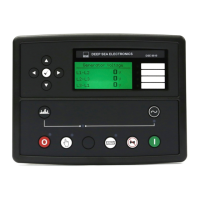

 To Next Page