Need help?
Do you have a question about the DSE 5210 and is the answer not in the manual?
Explains the use of notation such as NOTE, CAUTION, and WARNING in the manual.
Describes the automatic start sequence initiated by a remote start signal, including timers and outputs.
Explains how to manually control the generator start sequence using the module's buttons.
Details non-critical alarm conditions that alert the operator to undesirable situations.
Pre-warns of potentially serious alarm conditions, such as high engine temperature or low oil pressure.
Alerts when generator output current exceeds a pre-set trip level, potentially escalating to shutdown.
Describes latching alarms that stop the generator due to critical faults like low oil pressure or overspeed.
Details shutdown due to sustained high generator output current, including overload levels and timing.
Explains latching conditions that stop the generator in a controlled manner after removing load.
Illustrates various screens displayed on the module's LCD, showing instruments and status.
Breaks down the LCD into areas for instrument values, units, alarm icons, status icons, and user icons.
Describes how to scroll through and view different engine parameters like RPM, voltage, and current on the LCD.
Explains common and user-configurable LCD indicators and their meanings for status and alarms.
Details the function of the STOP/RESET, MANUAL, AUTO, and START buttons for module operation.
Enables limited customisation of module operation by accessing the configuration editor via the front panel.
Describes the procedure to enter the PIN number to access and modify configuration settings.
Explains how to enter edit mode and adjust analogue parameters like oil pressure and temperature.
Details how to adjust the module's internal date and time settings for accurate logging.
Specifies the precise dimensions for the panel cut-out required for safe and secure mounting of the module.
Discusses operating temperature range and ventilation requirements to ensure proper module performance.
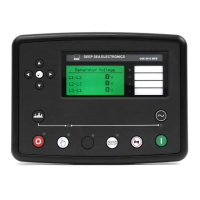
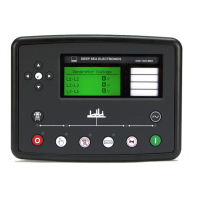
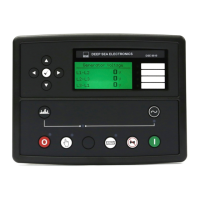
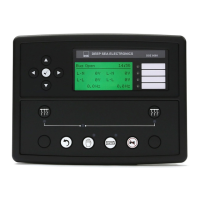
Illustrates the layout of all controls, indicators, and the LCD display on the front panel.
Shows the arrangement of connectors and other components on the rear panel for electrical connections.
Describes the specific pin assignments and recommended cable sizes for the module's connectors.
Details the pins and descriptions for the 8-way plug, covering DC supply, stop inputs, and relay outputs.
Details the pins and descriptions for the 11-way plug, including auxiliary inputs and magnetic pickup.
Details the optional 4-way plug connection for RS485 communication ports.
Details the 4-way plug connection for generator voltage and neutral monitoring inputs.
Details the 5-way plug connection for current transformer (CT) secondary inputs.
Details the 4-way plug connection for sensor inputs like oil pressure and coolant temperature.
Describes the 8-way connector for PC configuration using the 810 interface and software.
Details the connector for expansion modules, such as relay or LED annunciators.
Explains the function of each pin on the 8-way Plug A, covering power, inputs, and outputs.
Explains the function of each pin on the 11-way Plug B, including auxiliary inputs and earth connections.
Details pin functions for the optional 4-way Plug D used with RS485 controllers.
Details pin functions for the 4-way Plug F used for generator voltage sensing.
Details pin functions for the 5-way Plug G used for current transformer connections.
Details pin functions for the 4-way Plug H used for sensor inputs like fuel level.
Provides information on ordering replacement connector plugs from DSE, including part numbers.
Recommended checks covering cooling, DC supply, emergency stop wiring, and basic operation.
Identifies the function of each push button on the module's front panel.
Lists and describes the various status icons and measurement units displayed on the LCD.
Details the icons used to indicate different types of alarms, warnings, shutdowns, and electrical trips.
Shows wiring diagrams for different AC system configurations, such as 3-phase and 1-phase.
Provides the wiring diagram for connecting the module to a 3-phase delta connected alternator.
Provides the wiring diagram for connecting the module to a single-phase alternator with a neutral.
Provides the wiring diagram for a 2-phase star connected alternator with a centre tap neutral.
Presents typical Inverse Definite Minimum Time (IDMT) tripping curves for delayed over-current protection.
Offers recommendations for correctly wiring sender units for oil pressure, coolant temperature, and fuel level.
Specific wiring recommendations for senders that utilize earth return for their signal.
Specific wiring recommendations for senders that use an insulated return path for their signal.
Explains how resistive fuel level senders translate fuel level into resistance, noting tank shape impacts.
Details the PC software and 810 interface module used for configuring the DSE 5210 controller.
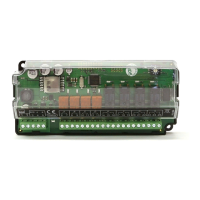
Describes methods for expanding the module's output capabilities using additional relay or LED modules.
Information on the 157 expansion module, adding eight additional volt-free relays for customer connection.
Information on the 548 expansion module, adding eight additional LEDs for remote indication.
Discusses increasing the number of monitored inputs using DSE 540/541 Protection Expansion/Annunciator modules.
Explains how the 5210 works with mains/utility monitoring modules for automatic generator start-up.
Details upgrading to a 5220 controller for integrated mains monitoring and changeover functions.
Explains IP and NEMA enclosure classifications for protection against environmental factors like dust and water.
 General
| Brand | DSE |
|---|---|
| Model | 5210 |
| Category | Control Unit |
| Language | English |

 To Next Page