Need help?
Do you have a question about the DSE 560 and is the answer not in the manual?
Explains symbols, notes, cautions, and warnings used in the manual for clarity.
Details the rotary switch and push-button for module operation and control.
Outlines the step-by-step sequence for automatic generator start and operation.
Describes how to manually control the generator via the selector switch.
Details manual generator control using external start/stop pushbuttons.
Lists non-critical alarm conditions that alert operators to undesirable situations.
Explains critical fault conditions that cause the generator to shut down.
Describes electrical trip conditions that initiate a controlled generator shutdown.
Covers watchdog facility alarms and errors related to module configuration.
Illustrates and explains the instrument, alarm, and user-defined displays on the LCD.
Details the specific areas on the LCD screen and their respective functions.
Explains how to navigate and view various engine parameters displayed on the LCD.
Describes the Common Alarm LED and user-configurable LCD indicators.
Explains the functionality of the STOP/RESET, AUTO, and MANUAL selector switch positions.
Specifies the required panel opening dimensions for mounting the module.
Outlines operating temperature limits and ventilation requirements for the module.
Provides the physical dimensions of the module and the panel cut-out.
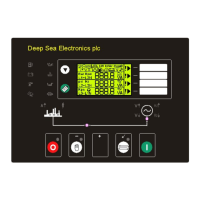
Illustrates the arrangement of controls and indicators on the front of the module.
Shows the layout and identification of connectors on the rear of the module.
Lists pin assignments and cable sizes for Plug A and Plug B connectors.
Details pin assignments for the 4-way Plug C connector.
Describes the connector used for PC configuration and expansion modules.
Explains the specific functions of each pin on Plug A (13 Way).
Details pin assignments and descriptions for the 17-way Plug B connector.
Details pin assignments and descriptions for the 4-way Plug C connector.
Outlines essential checks to perform before the initial system startup.
Lists default settings for speed and frequency-related monitoring parameters.
Specifies default voltage trip and alarm settings for the module.
Explains the meaning of various display symbols and icons used by the module.
Illustrates the layout of user-configurable LCD display areas.
Provides guidance on correctly wiring oil pressure and coolant temperature sensors.
Describes the interface module for calibrating and configuring the DSE 560 via PC.
Explains methods for expanding the module's output capabilities using expansion modules.
Discusses options for increasing the number of monitored inputs available.
Explains how the module integrates with standby generator systems and mains monitoring.
Suggests upgrading to a 550 controller for enhanced features and functionality.
 General
| Brand | DSE |
|---|---|
| Model | 560 |
| Category | Control Unit |
| Language | English |


 To Next Page