22
DVD Operation
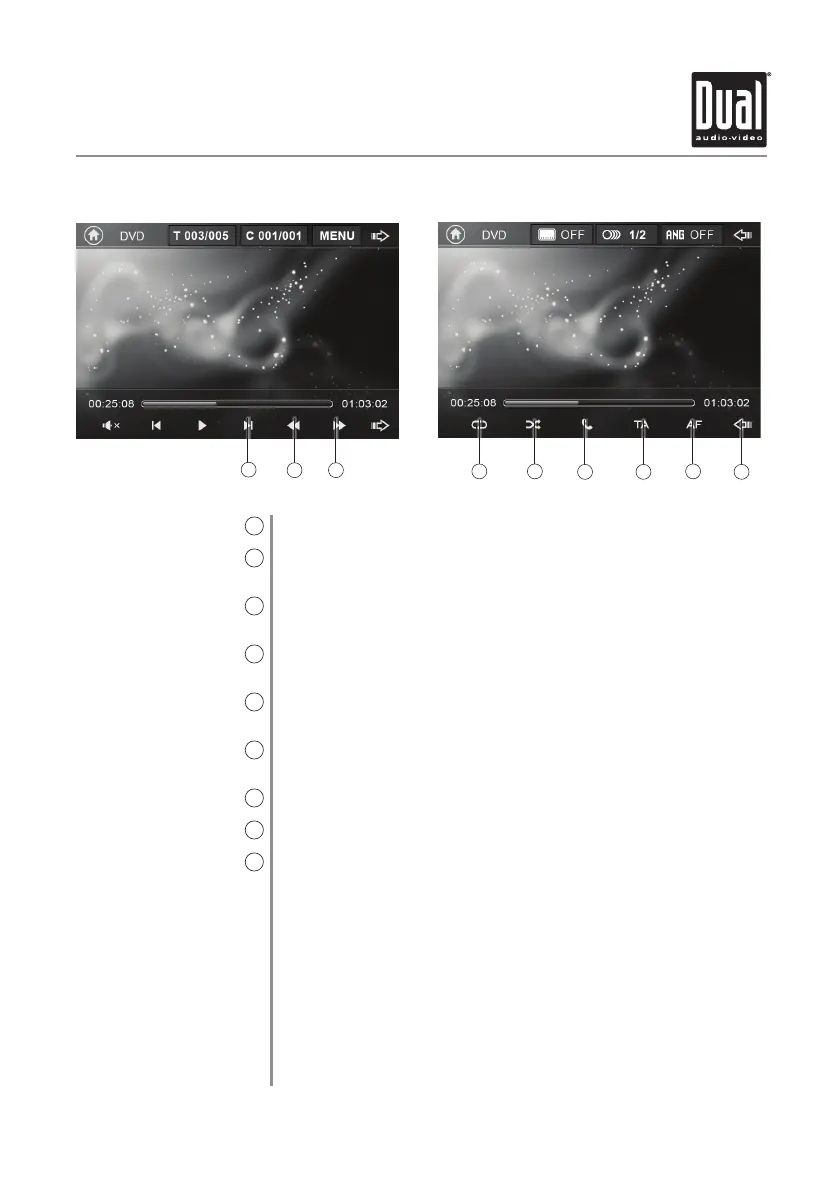
Press to advance to the next chapter.
Press to fast reverse playback at various speeds: FRx2, FRx4, FRx8 or
FRx20.
Press to fast forward playback at various speeds: FRx2, FRx4, FRx8 or
FRx20.
Press to select from the following repeat options: Repeat Chapter, Repeat
Title, Repeat All or Repeat Off.
Press Random to play chapters in random order or Random Off to play
disc in order.
Press to access the Phone when Bluetooth is enabled. If Bluetooth is
turned off, pressing this button will turn it on.
Press to turn on/off Traffic Announcements.
Press to select Alternative Frequencies.
Press to view the previous option screen.
Next Chapter
10
Fast Reverse
11
Fast Forward
12
Repeat
13
Random
14
Phone
15
Traffic Announcements
16
Alternative Frequencies
17
Previous Options
18
DV635MB OPERATION
10
1211
13 14
1615
17
18


 To Next Page