23
DV637MB OPERATION
2-Way DualMirror™ Operation
The DualMirror™ technology allows you to mirror the screen of select
Android smartphones as well as iPhone, iPod and iPad devices onto the
receiver's screen and to charge your mobile device through the rear
USB port. Simply plug in your device to the rear HDMI and USB inputs,
and you are ready to view your favorite navigation or music apps directly
on the receiver’s screen. The DualMirror™ technology requires the
following cables which are sold separately.
Cable Number Devices Product Description Wire Length
SL55A
Android 5-pin microUSB connector to HDMI + USB 5 ft
SL113A
Android 11-pin microUSB connector to HDMI + USB 3 ft
SL115A
Android 11-pin microUSB connector to HDMI + USB 5 ft
DL5i
iOS HDMI cable & USB cable 5 ft
DMH25
DualMirror Dongle HDMI adapter with WiFi connection
DMC15
DualMirror Dongle HDMI or AV Out (RCA) adapter with WiFi connection
Set up and connect the 2-way control feature with your Android
device using the instructions below. Currently, iOS is not
compatible with 2-way control.
Mirror Link
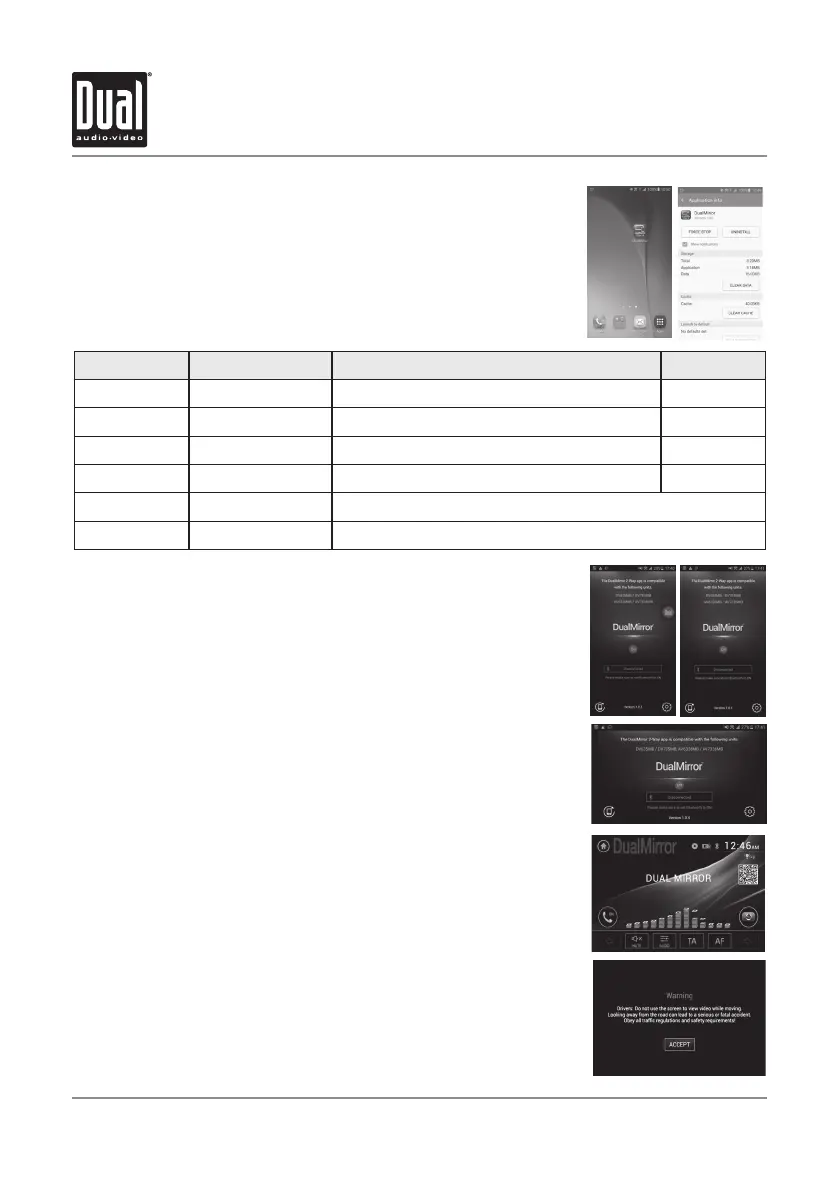
1. Scan DualMirror 2-Way QR code in DualMirror mode or search
"DualMirror 2-Way-B" app to download the app from Google Play
(Android only).
2. Download and install the DualMirror 2-Way-B app.
3. After installation, touch the settings icon on the lower right to enter
the Bluetooth menu and pair your device.
4. Once Bluetooth pairing is completed, select the DualMirror source
from the main menu.
6. When DualMirror source is selected, a warning message will appear.
Press ACCEPT to continue.
Note: Some phones will not support landscape mode on the home screen,
Touch the icon on the lower left of the app to force the screen into
landscape mode to fill in the screen and remove the black side bars.
Note: If the 2-way control is not working, verify that the DualMirror app is
running prior to connecting the phone to the unit and make sure
that the Bluetooth is paired/connected and the status on the app
also says "Connected".


 To Next Page