6
MR100 OPERATION
General Operation
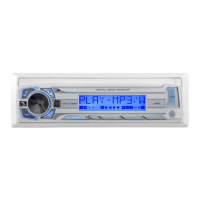
Press RELEASEandpullawayfromtheleftsideto
remove.Tore-install,insertrightsideoffaceplatefirst
thenpushleftsidetosecure.
Press
or any other button toturntheuniton.Press
againtoturntheunitoff.
Press MODE toselectbetweenAM/FM,USB,SDor
auxiliaryinputmodes.Modesofoperationareindicatedin
thedisplay.SDandUSBmodeswillnotappearunlessan
SDCardisinsertedoraUSBdeviceisconnected.
Theradiofrequency(tunermode)orMP3/WMAtitle/track
information(USBandSDmodes)willbeshownbydefault.
Press DISPtodisplaytheclock.Thedefaultdisplaywill
return after five seconds.
WheninUSBorSDmode,pressINFOtoselectbetween
theMP3/WMAinformation,includingfilename,songtitle,
artistname,albumnameandfoldername.
Press RESETuponinitialinstallationorifabnormal
operationoccurs.Resetbuttonislocatedbehindthefront
panel.
Press DISP todisplaytheclock,thenpressandholdDISP
untilthehourswillflash.Rotatethevolume knobtoadjust
thehours.Pressthevolume knob,andtheminuteswill
flash.Rotatethevolume knobtoadjusttheminutes.
Inserta3.5mmconnectorinthefrontpanelAUXport.
Connecttheotherendofthe3.5mmconnectortothe
headphoneoutputofanaudiodevice,MP3player,etc.
Adjustvolumeusingthe volume knob(00-40).
Press EQtoselectbetweenthefollowingpreset
equalizationcurves:FLAT,POP,JAZZ,ROCKandOFF.
Note:AbilitytomanuallyadjustBassandTreblesettings
isdisabledwhenapresetequalizationcurveisselected.
SettingequalizationcurvestoOFFenablesmanualBass
andTrebleadjustmentsasoutlinedonpage7.
Faceplate Removal
Power On/Off
Mode
Display
Info
Reset
Set the Clock
Auxiliary Input
Volume
Preset EQ Curves


 To Next Page