Ducky Macro
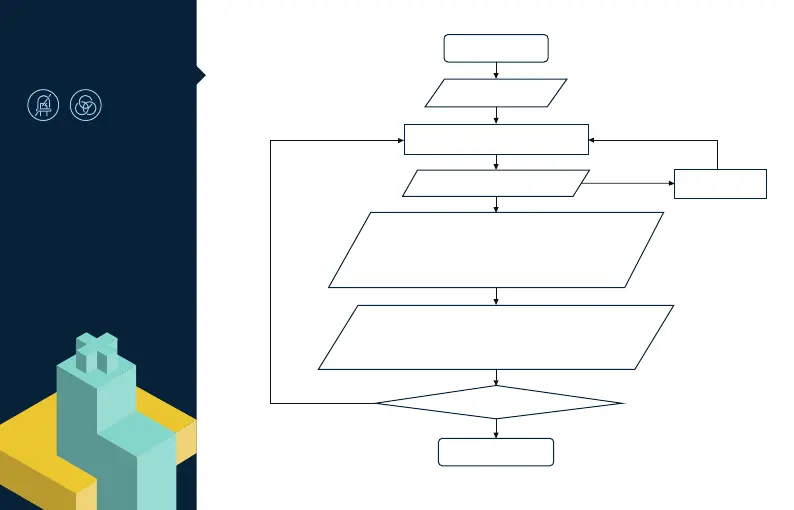
Implication Diagram
Start Macro Setting
Hold Fn+Ctrl for 3 sec
Press and change the key that you
wish to do Macro function
Insert Macro function to key to change
including replace keycode, continuous
Macro output, Multimedia function
CapsLock flashing quickly
Only the key that is to be configured will light up
Press Fn+ Q / W / E to Macro function,
if there's no selection to be made, press Fn+ Q to go back to default
CapsLock flashing quickly
Only the key that is to be configured will light up
Continue or Finish Macro Setting
Finish Macro Setting
Cancel the key for
Macro function
The key has been
set up for Macro
The key has not been set for Macro
Fn+Alt
Fn+Ctrl
Keys with Macro configuration will light
up and CapsLock will ash slowly
36


 To Next Page