Display Prompts and Messages
The display prompts and messages are written as they appear in the display and enclosed
in quotation marks.
Example: “Rem Scan:RED =1”
Station numbers, staff ID numbers, and other system information used as examples are
enclosed in parentheses.
Example: The connected station number (1012) appears.
Auto Scrolling
Your base master may be configured to automatically scroll the options within each menu
selection. If your base master does not automatically scroll, you can manually scroll the
options by pressing the VOL up/down button.
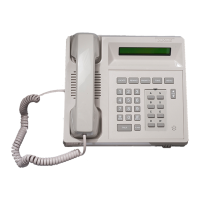
Base Master Care
The base master can be wiped down with a damp cloth, or with any disinfectant typically
used by hospital maintenance (e.g., Sidex, Staphine, or a 10% bleach/water solution).
1-12
ProCare 6000 Operation Manual
Base Master Care


 To Next Page