Continued from Previous Page
Continued
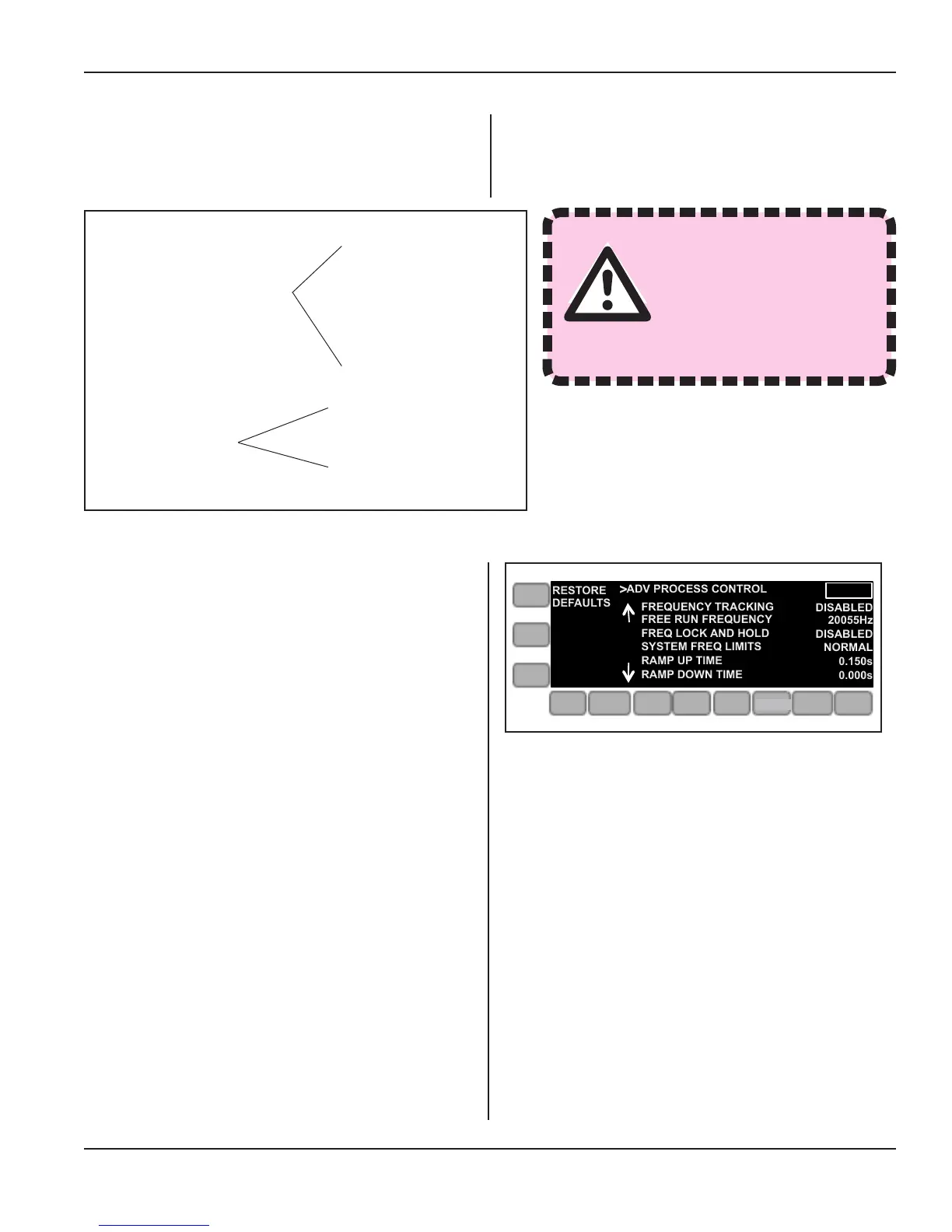
Figure 5-38 Advanced Process Control Menu
ADVANCED SETTINGS - This part of the INFO menu
gives access to the two sub-menus, Adv Process Con-
trol, and Miscellaneous and their menu items as shown
below in Figure 5-37.
• Adv Process Control
• Miscellaneous
Pressing the ADVANCED SETTINGS button brings up
the ADV PROCESS CONTROL sub-menu rst. See
Figure 5-38.
Figure 5-37 Advanced Settings Menu Overview
Frequency Tracking
Free Run Frequency
Freq Lock and Hold
System Freq Limits
Ramp Up Time
RampDownTime
Buzzer
Latch on Bad Part
Restore Factory Defaults
WARNING
Modifying Advanced Set-
tings may damage the
unit or ultrasonic stack.
>
RESTORE
DEFAULTS
ADV PROCESS CONTROL
FREQUENCY TRACKING
FREE RUN FREQUENCY
FREQ LOCK AND HOLD
SYSTEM FREQ LIMITS
RAMP UP TIME
RAMP DOWN TIME
DISABLED
20055Hz
DISABLED
NORMAL
0.150s
0.000s
ONLINE
AMP
PRE
WELD
WELD
POST
WELD
LIVE
SETUPS
LIMITS
OPERATE
SETUP
Page 63
Dukane Manual Part No. 403-594-02
Section 5 - Operation


 To Next Page