SVENSKA DANSK SUOMEKSI ENGLISH DEUTSCH FRANÇAIS ESPAÑOL ITALIANO POLSKINEDERLANDSNORSK
1.6 Front panel introduction
BUTTONS
POWER: Turn on and off the machine.
MANUAL START: When manual sealing mode is selected,
pressing the button initiates the sealing process.
AUTOMATIC/MANUAL: Switch between automatic and manual sealing
mode. If automatic mode is selected, the sealing process starts automati-
cally when a container is placed in the cassette. If manual mode is selected,
the sealing process starts when pressing the MANUAL START button.
RESET COUNT: Reset the counter
(number of containers sealed since last reset).
SET: Go through the settings of the sealing process parameters. Pressing
SET moves through the available parameters. See next section for details.
UP/DOWN ARROWS: Increase (UP) or decrease (DOWN) the value of the
current setting.
DISPLAY
LEFT SCREEN:
(A) In normal mode the counter is displayed
(number of containers sealed since last reset).
(B) When pressing the SET button, the sealing parameter
indicator (P1-P5) is displayed.
RIGHT SCREEN:
(A) In normal mode the temperature (°C) is displayed.
(B) When pressing the SET button, the value of the selected
sealing parameter is displayed.
(C) When there is an error, the specific error code will be displayed.
5
1.3 Machine and film setup
1. Place the DF5 at a suitable working level and
ensure that the machine is firmly positioned
on a flat surface.
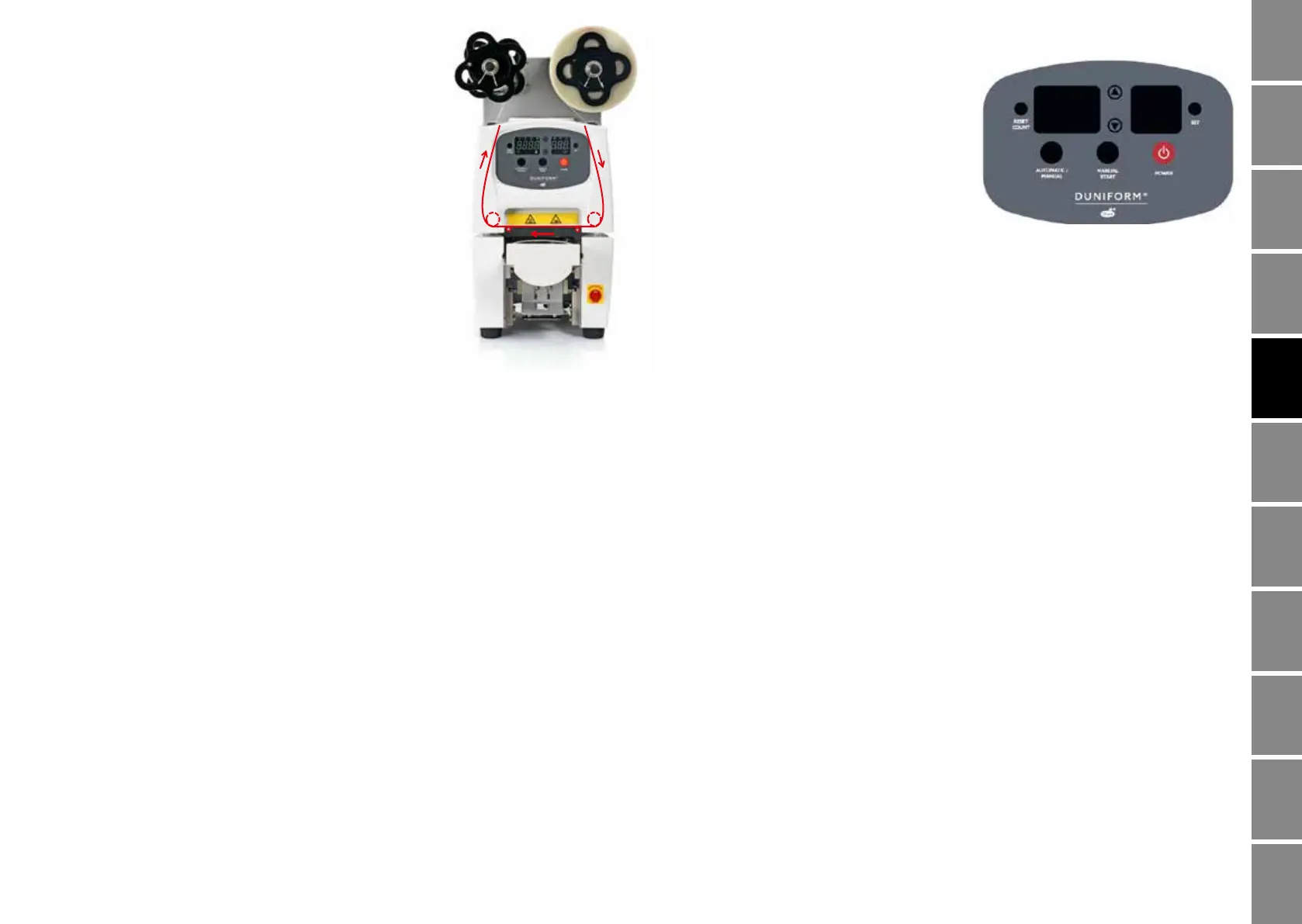
2. Mount the sealing film as indicated in the picture
without any wrinkels and ensure the film is placed
above the two spikes. If using a sealing film with
black sensor marks, make sure that the film
passes through the film sensor on the side of
the machine in order to enable correct auto film
rewinding.
3. Connect the machine to a grounded/earthed
230 V (50-60 Hz) wall outlet.
1.4 Containers/Film
Duni glasses, containers and the matching films, will give you the best result.
Please contact your local Duni sales or customer service representative
for more guidance.
1.5 Operation
Follow these simple steps when operating the machine:
1. Make sure that you have setup the machine and film correctly (see section 1.3).
2. Press the power button. The digital panel will light up, the cassette will
automatically slide out and the upper tool (inside the machine) will heat
up until it reaches the set temperature.
3. After approximately 5-10 minutes, the set temperature will be reached
and the temperature indicator will turn off.
4. Select Automatic or Manual sealing mode (see section 1.6).
5. Ensure that you have set the correct sealing parameter settings
(see section 1.8).
6. Place the container in the cassette.
7. Start the sealing process:
a. If auto mode was selected, the cassette enters the machine
automatically when placing the container in the cassette.
b. If manual mode was selected, push the Manual Start button to start the
sealing process.
8. The sealing film is automatically provided and the cassette is sliding inside
the machine and the sealing process starts.
9. After the sealing process cassette is automatically ejected from the machine.
10. The container is sealed and you can remove it from the cassette.
4



 To Next Page
 Loading...