59
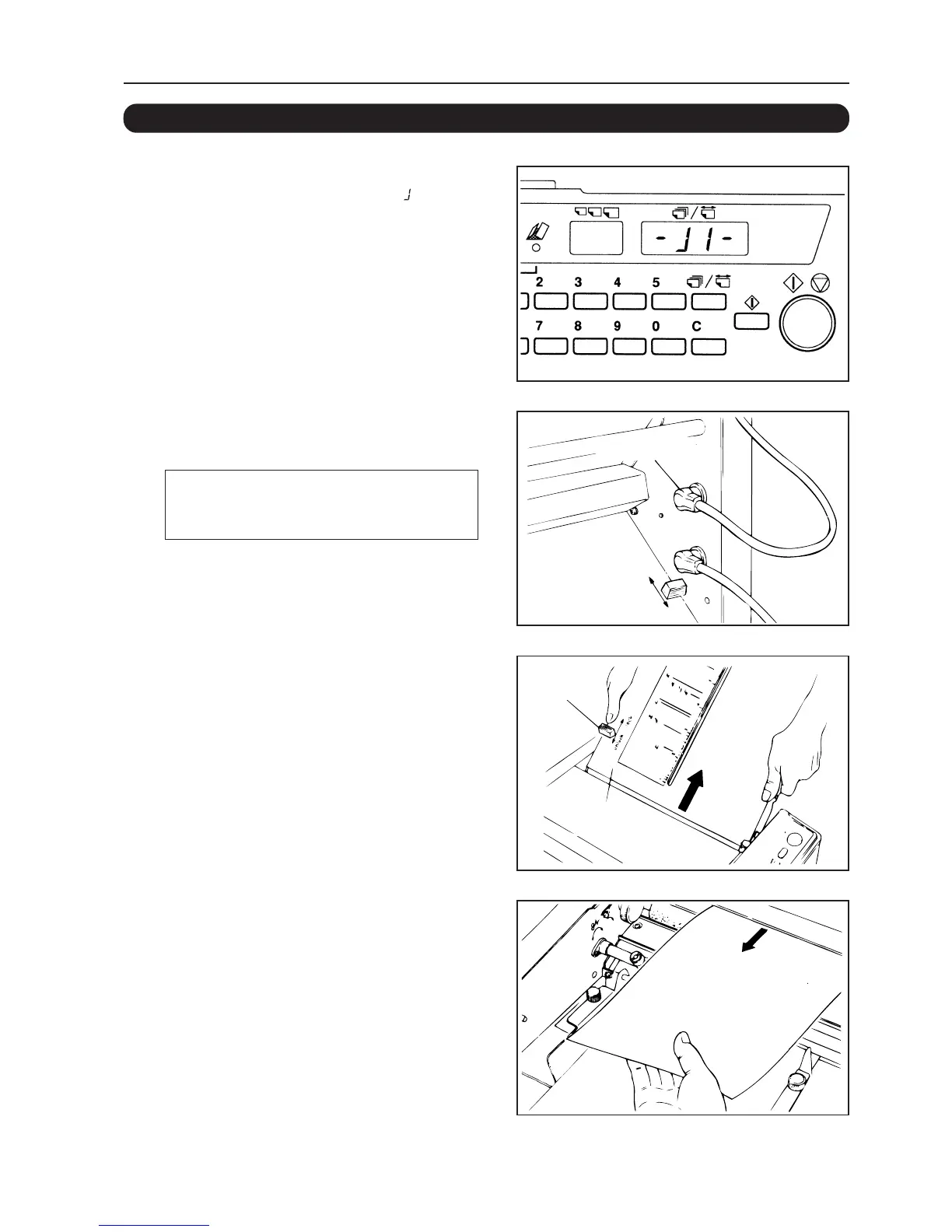
12-4. PAPER HAS JAMMED AT THE FIRST FOLDING PLATE
1 The “Number of sheets/paper length”
display window will show “-
ll
ll
l-”.
2 Turn off the power and disconnect
control cord 1.
Be sure to turn off the power first when
inserting and disconnecting the control cord or
the unit will be damaged.
3 Release the lock of the first folding
plate and remove this plate.
4 Open the top cover and pull the
jammed paper towards you to
remove.
12. TROUBLESHOOTING
Control cord 1
Lock lever
First
folding plate


 To Next Page