24
Turning OFF Printer Power
○○○○○○○○○○○○○○○○○○○○○○○○○○○○○○○○○
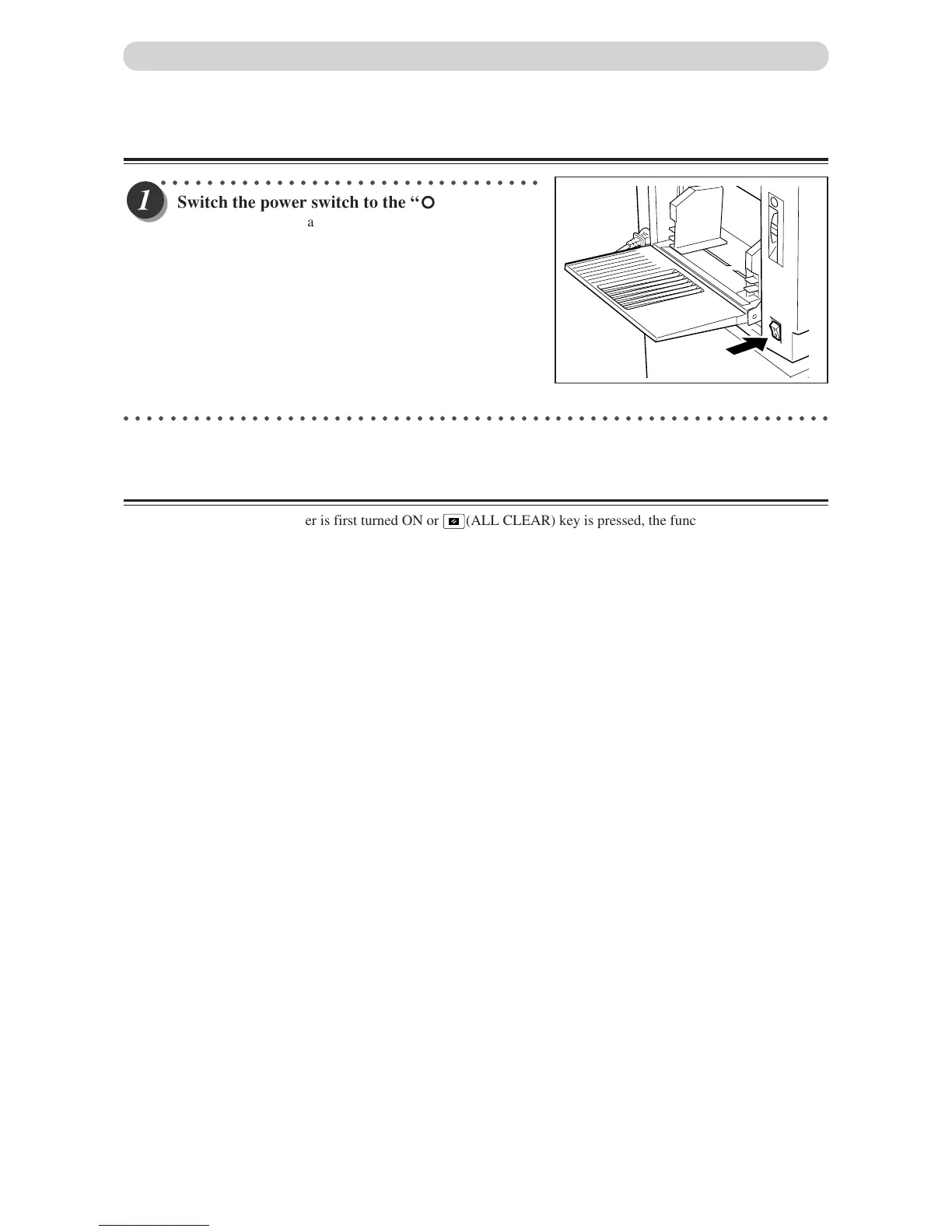
Switch the power switch to the “ ” position.
The power turns OFF and the display lamps on the control
panel turn OFF.
○○○○○○○○○○○○○○○○○○○○○○○○○○○○○○○○○○○○○○○○○○○○○○○○○○○○○○○○○○○○○
Standard Mode
When the printer power is first turned ON or
(ALL CLEAR) key is pressed, the functions are reset to
standard mode. The standard mode settings are as follows:
• Print quantity : 0
• Print position : Standard lit
• Print speed : Standard lit
• Zoom : 100% lights
• 2 IN 1 : OFF
Turning Power ON/OFF
• Document mode : Standard
• MASTER SIZE : DP-M300/A4,DP-M310/LEGAL,
• MASTER DARKNESS : NORMAL
• ✕94% : OFF
DP-M320/B4



 To Next Page