37
2
1
22
Printing Using Basic Functions
○○○○○○○○○○○○○○○○○○○○○○○○○○○○○○○○○○○○○○○○○○○○○○○○○○○○○○○○○○
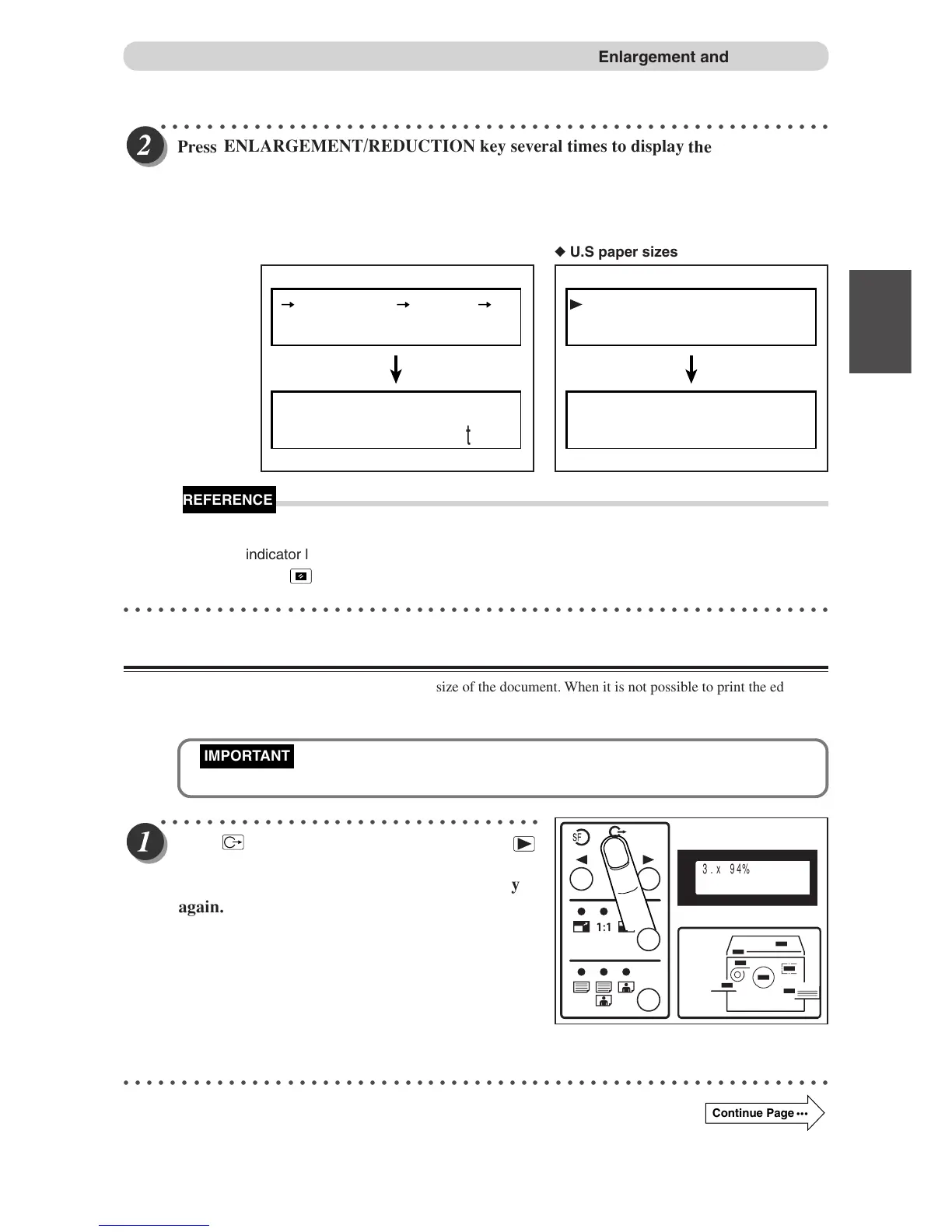
Press
ENLARGEMENT/REDUCTION key se
veral times to display
the desired zoom ratio.
In about 3 seconds, the screen changes to the number display screen and the zoom ratio is selected.
Press
ENLARGEMENT/REDUCTION key to move the arrow on the LCD panel.
To return to “100%”, use one of the following two methods:
• Press
ENLARGEMENT/REDUCTION key several times to display 100%. The 100%
• Press
(ALL CLEAR) key. In this case, all settings are reset to standard mode
(a page 24).
○○○○○○○○○○○○○○○○○○○○○○○○○○○○○○○○○○○○○○○○○○○○○○○○○○○○○○○○○○○○○
94% Reduction
In this mode, the copy is printed at 94% the size of the document. When it is not possible to print the edges of
the document image, this mode allows you to make a minor reduciton so that the edges of the image are
included.
• Select “94% Reduction” before mastermaking.
○○○○○○○○○○○○○○○○○○○○○○○○○○○○○○○○○
Press
(FUNCTION SWITCH) ke
y. Press
(SELECT) ke
y several times to show the screen
at right,then press FUNCTION SWITCH key
○○○○○○○○○○○○○○○○○○○○○○○○○○○○○○○○○○○○○○○○○○○○○○○○○○○○○○○○○○○○○
Continue Page
•••
Enlargement and Reduction
141%
141%
0
sht 1set
◆ European paper sizes
141% B5 B4/A5 A4
141%
0
sht 1set
◆ U.S paper sizes
3.x 94%
again.
IMPORTANT
REFERENCE
indicator lamp lights.
OFF



 To Next Page