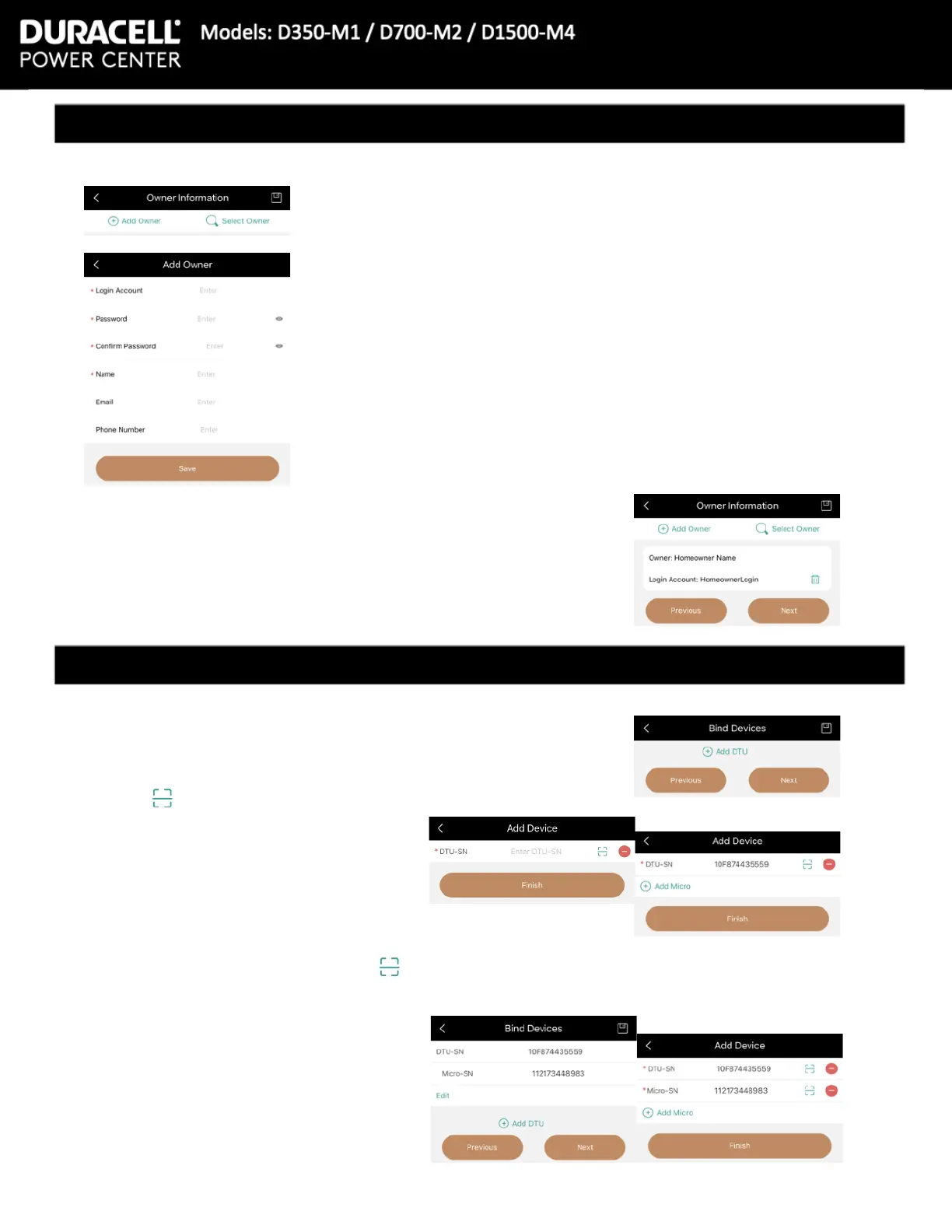
16 Once entered, press the + Add Micro button
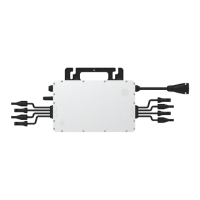
From here one can add the Microinverter serial number manually,
or again can press the scan button to use a phone’s camera
to scan the Microinverter bar code.
14 Press the + Add DTU button at the top
On this screen, pressing the center area where it says ‘Enter
DTU-SN’ to type the serial number in manually, or hit the scan
button on the top right to scan the DTU’s barcode.
15 Press [Finish]
10 The app will next ask for the owner information. If the owner is
new, press the + Add Owner button in the top left.
If adding to a current system, or creating a second system, press
the [Select Owner] button
12 Press the [Save] button at the bottom.
17 Once all micros are scanned, press
the [Next] button on the bottom.
The app with return to the Bind Devices
screen.
18 If nished adding devices, press the
[Finish] button on the bottom right of
the screen.
11 Add Owner will ask for: Login Account, Password, Conrm
Password, and Name as required elds. It is suggested to add their
Email and Phone Number.
12 Once loaded, press the [Select Owner] button on the top
right. Then select the Owner.
13 Press the [Next] button on the bottom right


 To Next Page