DuraLabel.com | 800.788.5572
3.1 Loading Ribbon | 5
Loading the printer
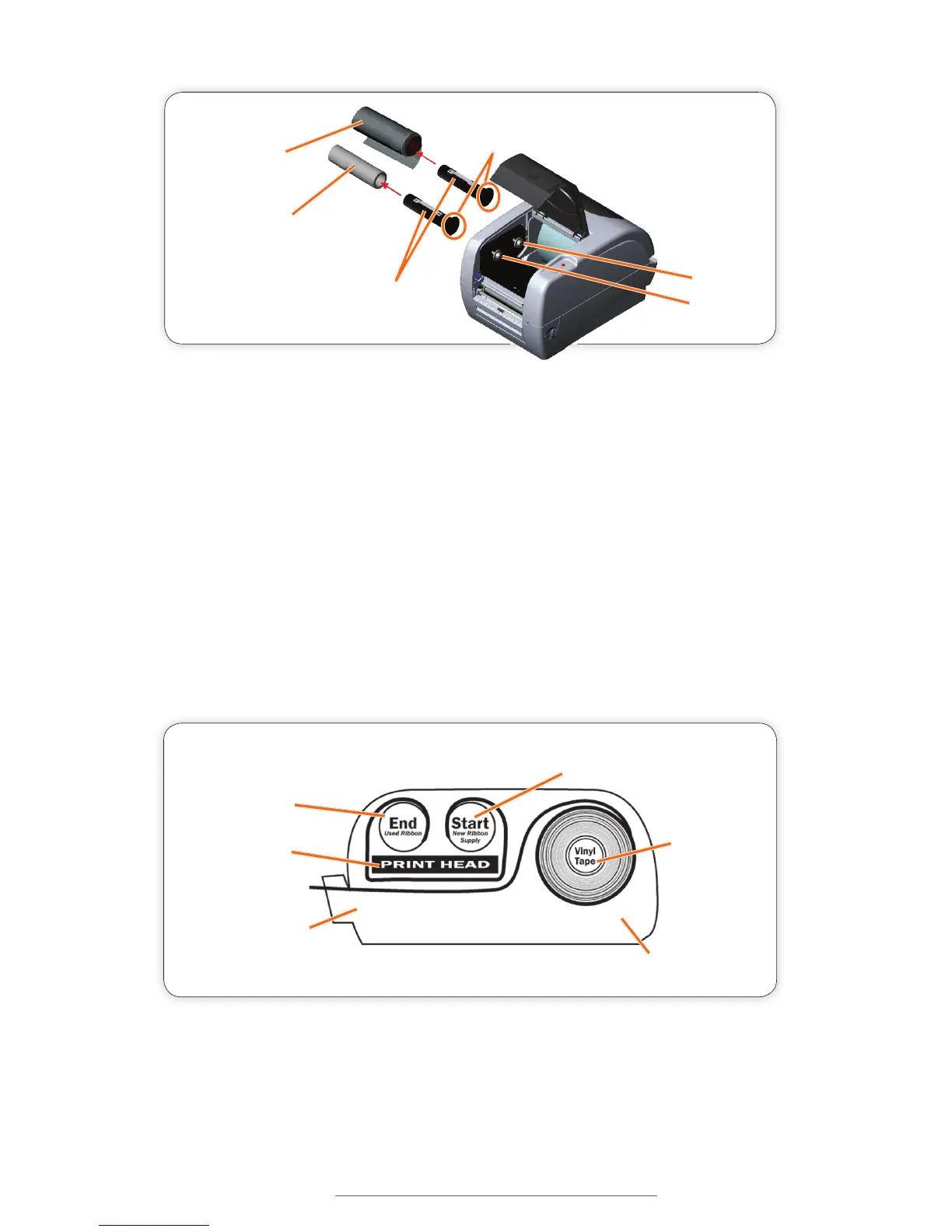
F. Open the Printer Cover by pulling the release levers on the sides of the printer
toward you.
G. Grab the ribbon leader that is hanging down, pulling it toward you and underneath
the ribbon mechanism and print head, up to the front hub and ribbon rewind
spindle.
H. ape the entire width of the end of the ribbon leader to the ribbon rewind spindle’s
paper core, placing one piece of tape horizontally.
I. Roll the ribbon rewind spindle (top side of spindle moving away from you) to secure
the ribbon supply. Your ribbon supply should now be loaded.
Empty Core
for Used Ribbon
(place on front hub)
Rear Hub
Front Hub
Ribbon Spindles
Ribbon Supply
(place on rear hub)
Ribbon Spindle Flange
(attach to right side of printer)
FIGURE 2
New Ribbon Supply
Used Ribbon
Front of Printer
Back of Printer
Vinyl Supply
Ribbon Goes Under-
neath Print Head
FIGURE 3



 To Next Page