51
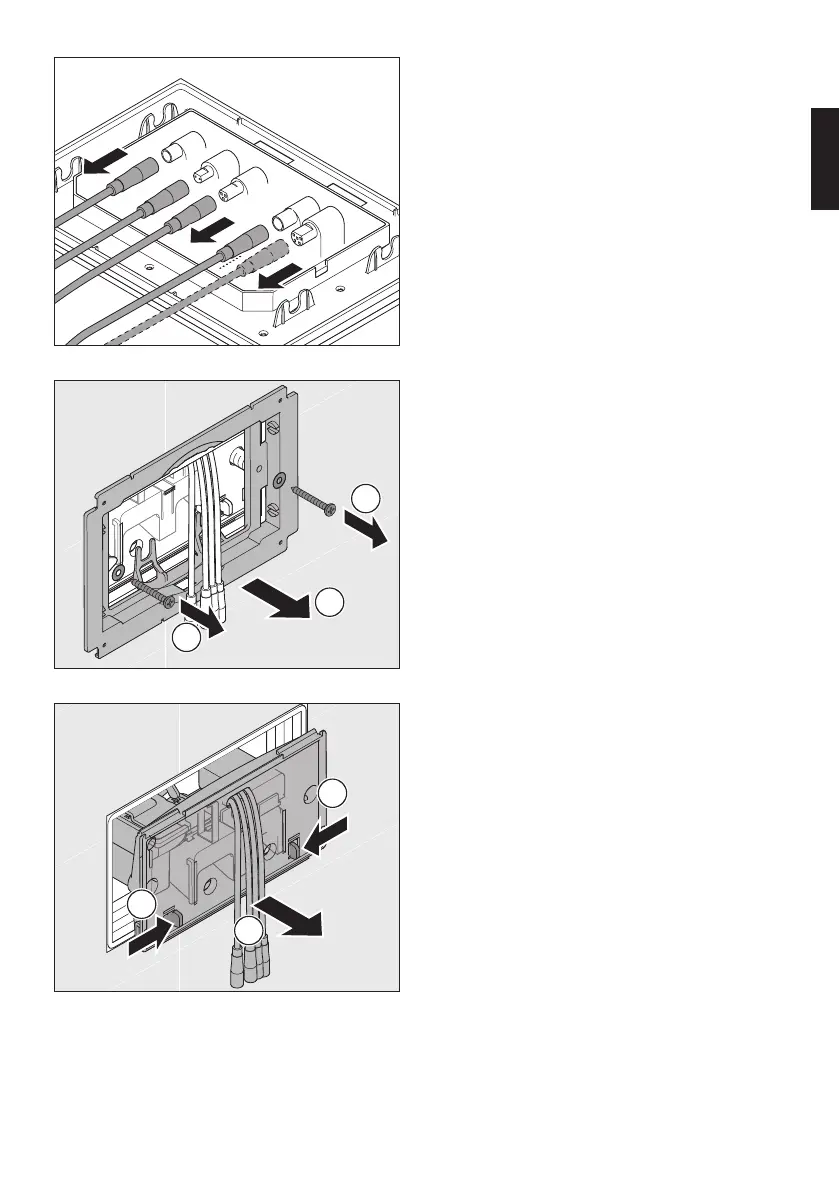
Disconnecting the cables
> Disconnect the cables connected to the
actuator plate.
> Set the plate aside.
1
2
1
Removing the mounting frame
> Loosen the screws.
> Remove the frame.
> Loosen the spacer bolts and set
them aside.
1
1
2
Removing the protective maintenance
plate
> Press the fixing hooks inwards.
> Carefully remove the plate.
> Turn the plate to the side.
en


 To Next Page
 Loading...