GX\
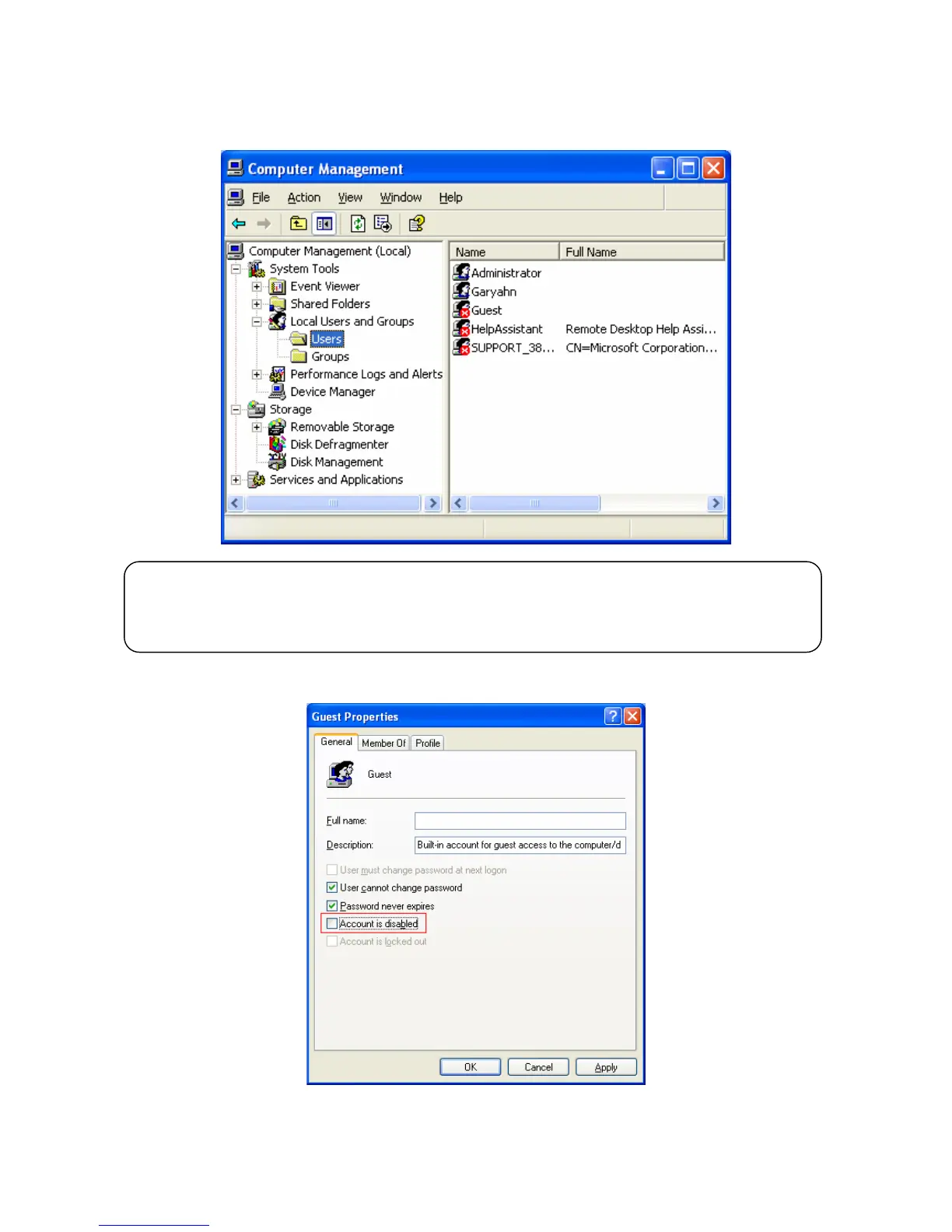
5) Move to 'Settings' > 'Control Panel' > 'Administrative Tools' > 'Computer Management' > 'Local Users and
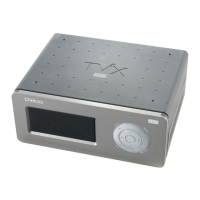
Groups' > 'Users', and double click ‘Guest’.
6) Uncheck ‘Account is disabled’
CAUTION
This is for Windows XP Professional. Windows XP Home users cannot see this window. If you cannot
find ‘Administrative Tools’ in the Control Panel, click “Switch to classic view” in the upper-left corner of
the screen.



 To Next Page