GZ]
6.2.3 Image Playback
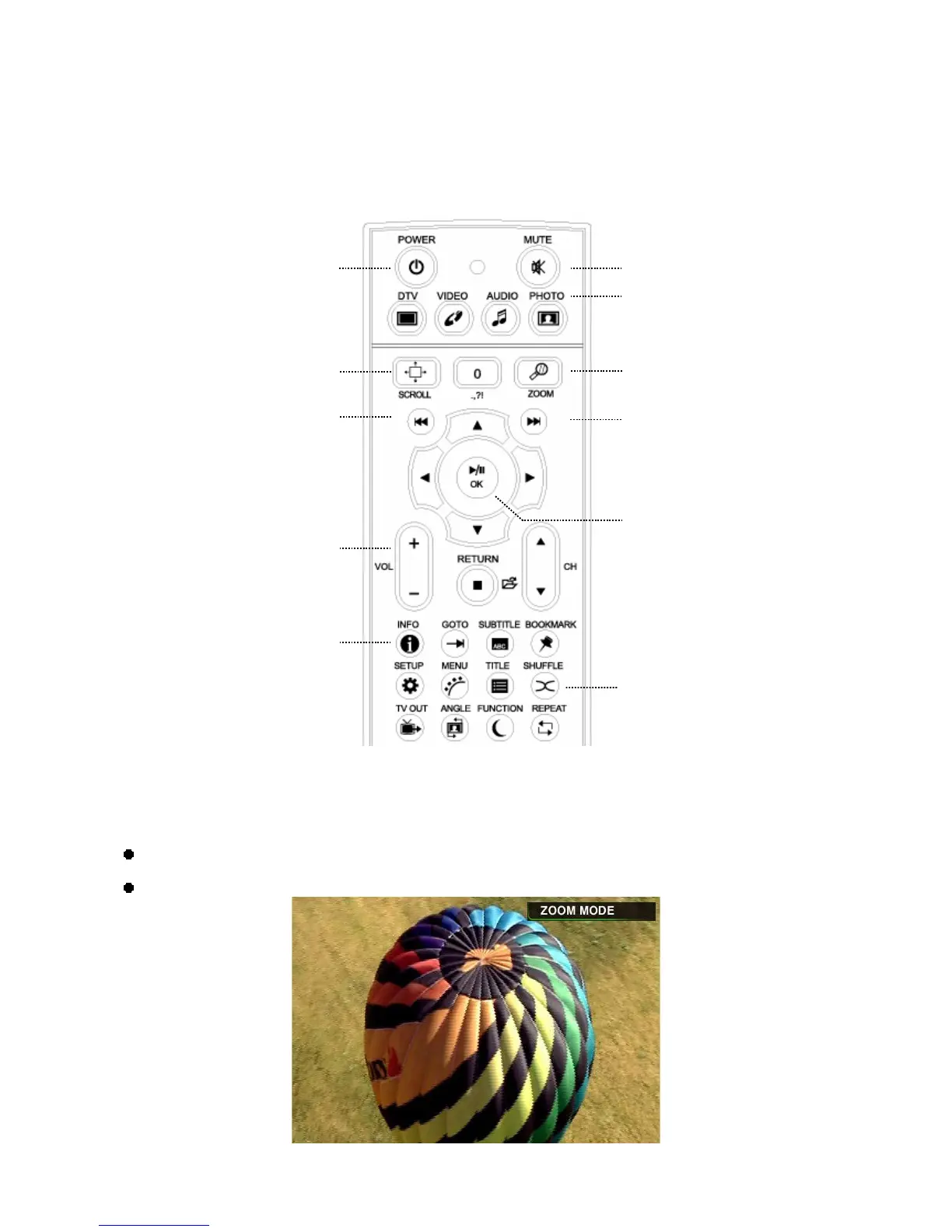
Only the PHOTO folder will show in the TViX HD when pressing the PHOTO button on the remote control.
It applies only to the active partition if you have more than one partition.
<NOTE>
You can set the slideshow time interval at the SETUP menu.
You can change the size of the picture with the ZOOM and SCROLL button.
Scroll button
Change Volume
Mute button
Information button
G
Zoom button
Go to Photo Folder
Next File button
When playing contents, you
can skip or go to the previous
content with this button.
When stopped, it operates as
a page up/down key.
Previous File buttonG
OK/Selection button
POWER On/Off button
Shuffle button


 To Next Page