GY\
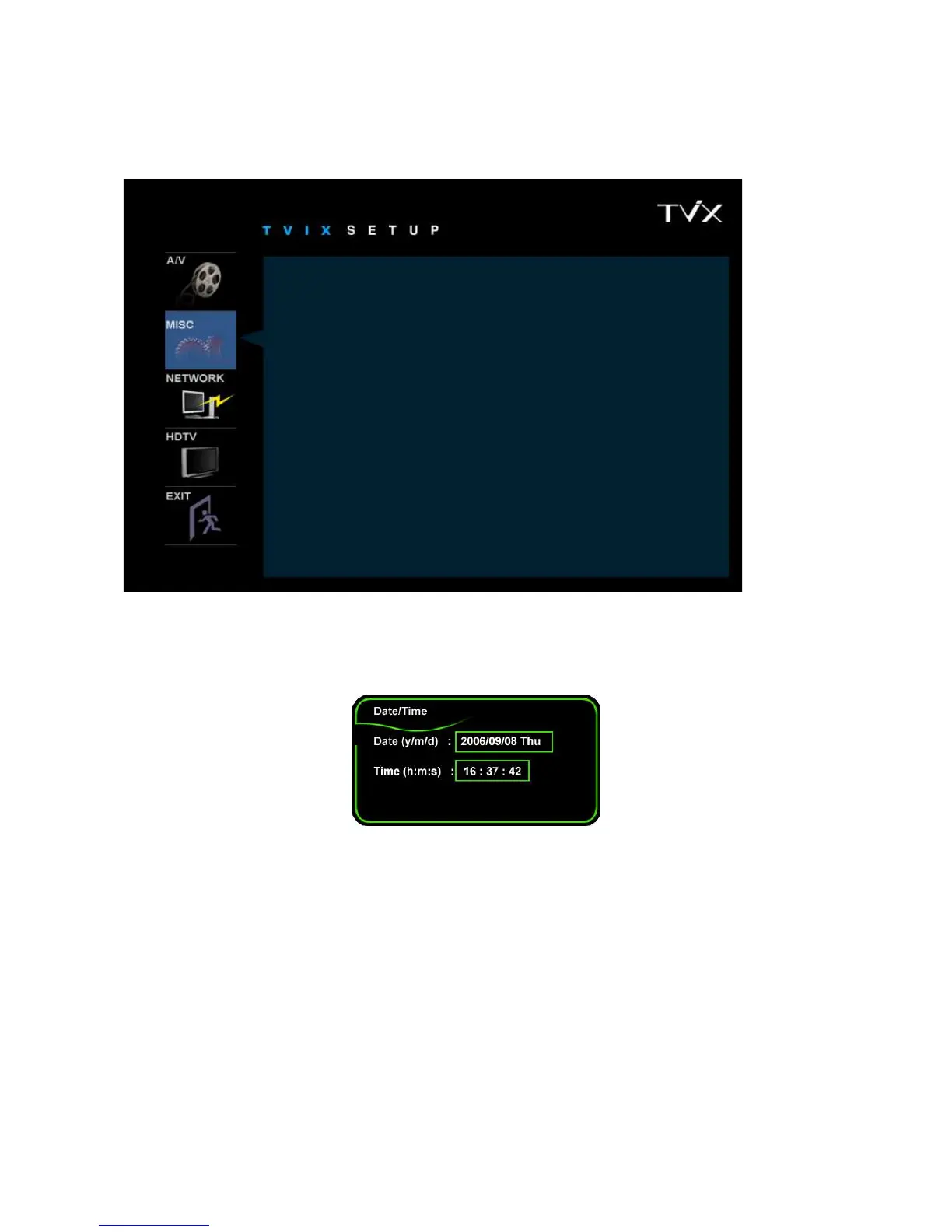
4.2 MISC Setting
This section indicates the MISC settings.
* Slideshow Effect : This is used when playing background music while watching picture slideshows.
* Slideshow Delay : Set the slide show time interval (0 sec – 60 sec)
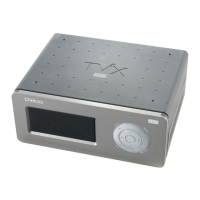
* Date / Time Setting : Adjust the clock on the VFD by using the arrow and numeric keys.
* FAN Speed : Select your Fan Speed. We recommend the Normal setting.
* Select Language : Select your language preference.
* Autorun : You can listen to music(audio files) without display(TV). If you select “random”, it plays randomly.
(Off-on-Random-Repeat-Random/Repeat)
* OSD Display : Select the type of OSD display. We recommend the Normal mode.
* Safety Lock : is used the password(“1111”) when you run the SETUP menu.
* Subtitle/Outline: Change the color of the subtitle and its outline.
* Screen Saver : If there is tvix_ss.jpg on the root directory, you can see this image(160*160 pixel) after 2~3
minutes. When the pause status or playback of audio(without slide show), Screen saver will work.
* Remote Controller : You can select your remote type. We recommend the common setting. If there is a
collusion between other device and TViX remote, you’d better A or B type referring to image.
Slide Show Effect : Fade In/Out
Slide Show Delay : 5s
Date / Time Setting :
FAN Speed : Normal
Select Language : English English
Korean
Autorun : ON
OSD Display : Normal
Safety Lock: Disable Enable
Disable
Subtitle/Outline: White/Black
Screen Saver Disable Enable
Disable
Remote Controller: Common


 To Next Page