GX[
3.4.2 Set Network Configurations Under Windows XP (SAMBA mode)
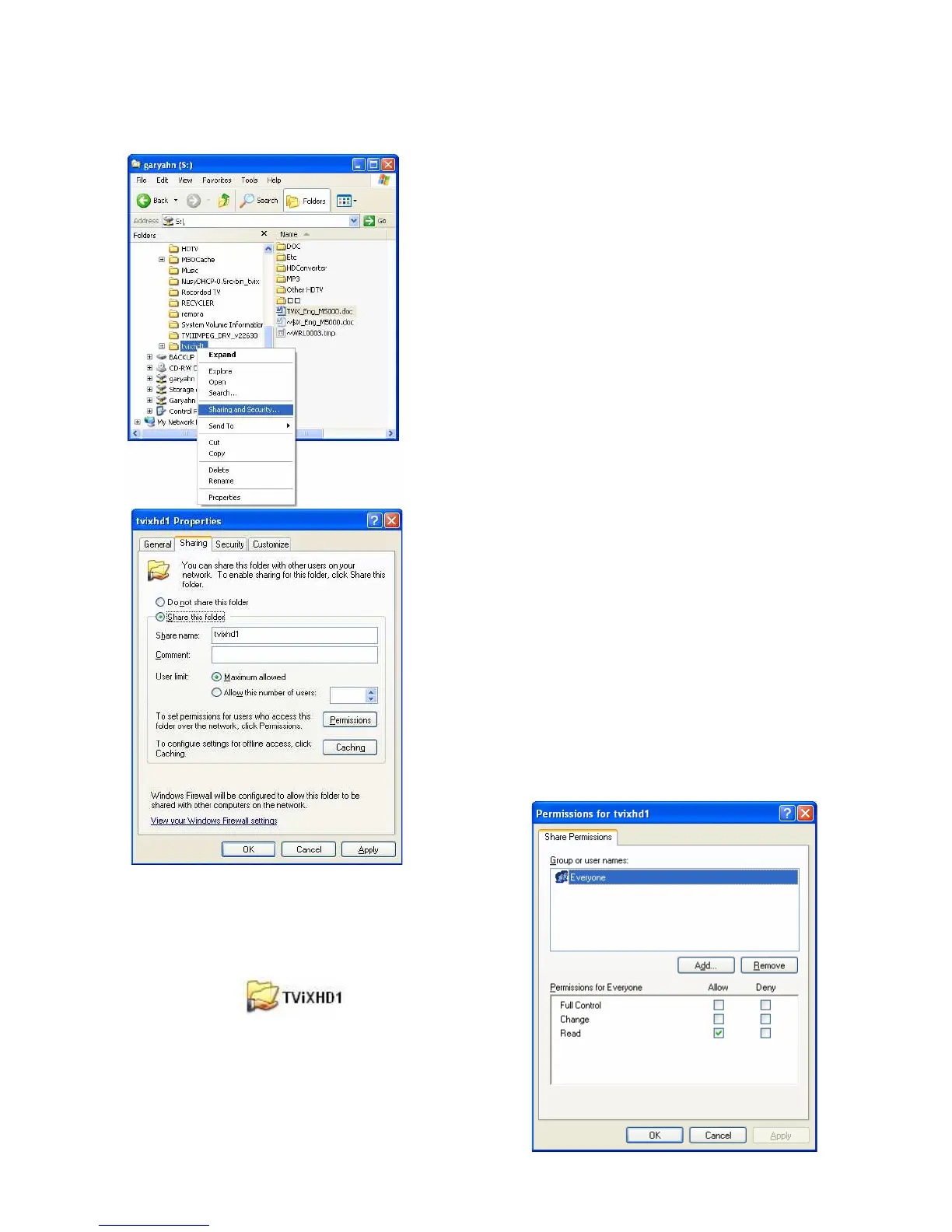
1) Select the folder you want to share. Right-click that folder
and click ‘Sharing and Security’ in the popup menu.
2) Check ‘Share this folder’ on the network and type in the
share name ‘tvixhd1 (this is the only available one at the
moment)’.
3) Use ‘Everyone’ if ‘Everyone’ is displayed, otherwise you
don’t have to change anything. Also, add ‘Everyone’ to the
security tab.
4) After that, the shared folder will be displayed like the
following picture.


 To Next Page