G\W
8.3 Making a Partition and Formatting the HDDs under Windows 2000 /
XP
1) Under Windows 2000, you can make a partition and format the HDD using the Disk Manager utility.
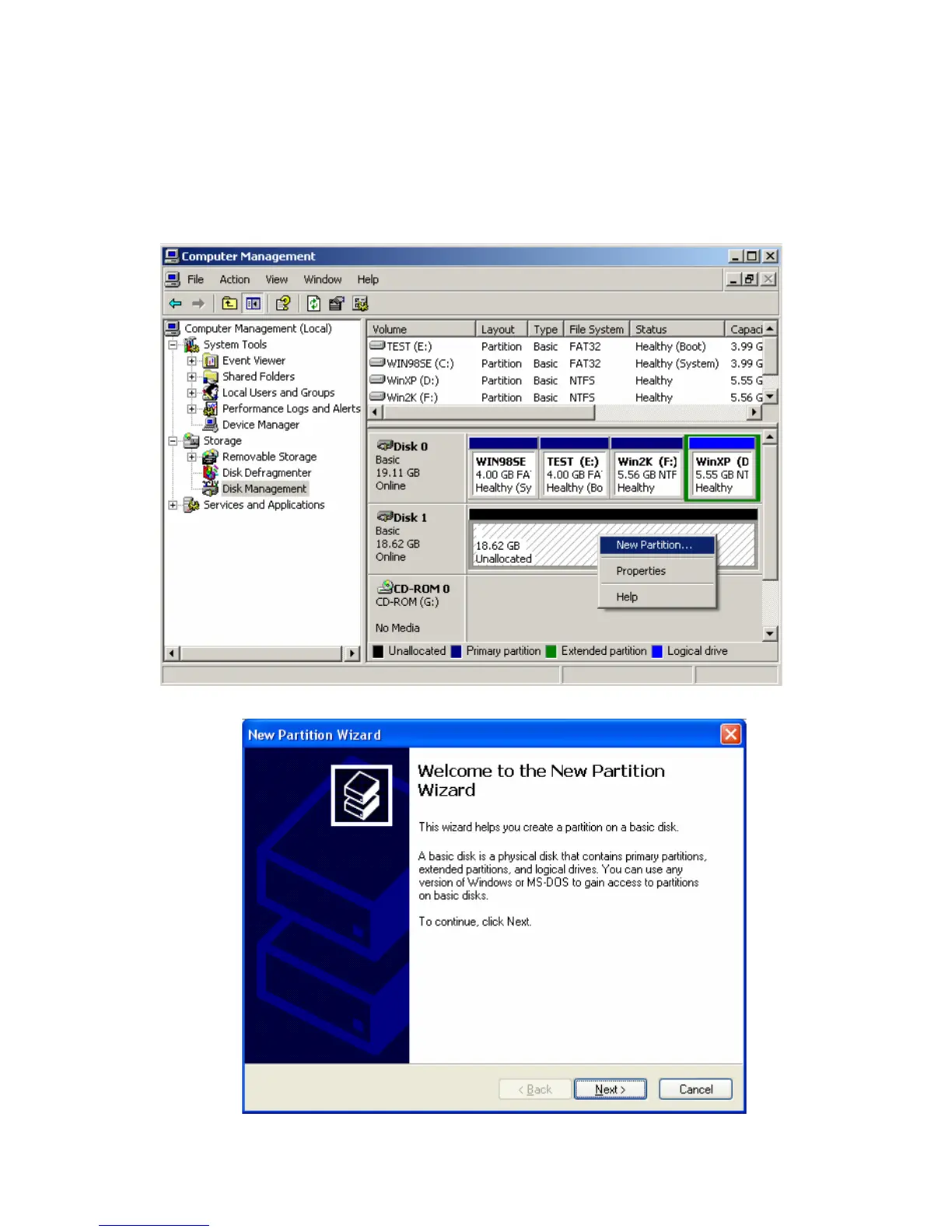
2) Right click “My Computer” Choose “manage” from the pop up menu and the “Computer Management”
window will appear choose “Disk Management” folder.
3) The disk list will appear on the right side of the “Computer Management” windows. Right click the TViX
HDD from the list, and from the pop up menu choose “make partition” to create partitions on the chosen disk.
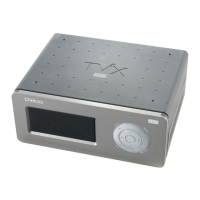
4) When the New Partition Wizard appears, press “Next>”.
5) Choose the partition type and format the HDD. If you want several partitions, select Extended Partition.


 To Next Page