- or -
Move the cursor to the left with arrow Q to set the left-hand digits. Enter the cable diameter via the keypad.
• Press ENTER to select. The indicator FLAG 2 will be highlighted on the display.
FLAG 2 mode can print flags for cables or wires with a maximum diameter of 1000mm or 40 inch.
- When asking multiple copies the printer will print after each label 2 small points to indicate the place to cutt off.
- When a label from the list on the memory card causes an error against the available features the printer will stop.
Please verify your settings and re-start the printing.
COMPONENT/OUTLET LABELS (were label size is specified)
Fixed Lenght FIXED
• Press the key.
• Use the arrow H on the navigation key to scroll through to the FIXED LENGTH mode:
• Press ENTER to select.
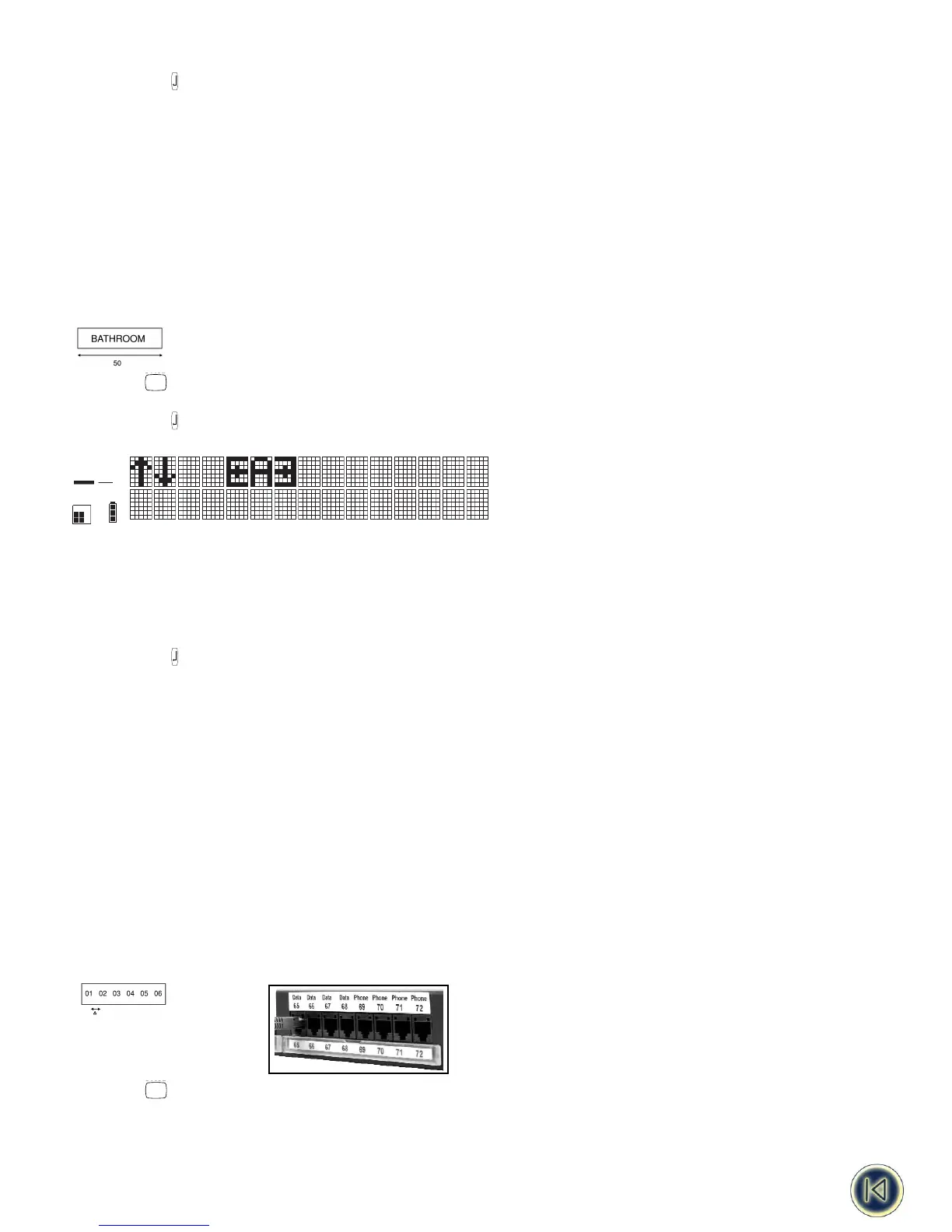
• The machine will now prompt you to input the length you wish to set. The display will show L= xx, where xx is defaulted to
20mm or 0.79 inch.
• Use H arrow on the navigator key to increase the settings (in steps of 0.1mm or 10mm) until you have reached the length
you require.
- or -
Move the cursor to the left with arrow H to set the left-hand digits. Enter the length via the keypad.
• Press ENTER to select. The indicator FIXED will be highlighted.
Maximum fixed length is 999,9mm or 40 inch. Minimum fixed length is 20mm or 0.79 inch.
- When asking multiple copies the printer will print after each label 2 small points to indicate the place to cutt off.
- When a label in the list from the memory card causes an error against the available features the printer will stop.
Please verify your settings and re-start the printing.
TERMINAL BLOCK / PATCHPANEL LABELS
Terminal Block Mode TBLOCK
Terminal block mode allows you to print one label with multiple information, spaced at exactly the right intervals, so that you
can label a row of terminal, switches, fuses or patch connectors on a patchpanel.
1. Horizontal terminal block mode (= patchpanel mode)
• Press the key.
• Use arrows H or P on the navigator key to scroll through to the TERMINAL BLOCK mode:










 To Next Page