
 Need help?
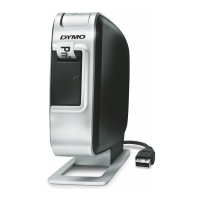
Do you have a question about the Dymo LabelManager Wireless PnP and is the answer not in the manual?
Instructions and benefits for online device registration for warranty and updates.
Explains the power button, power status light, and wireless status light.
Describes how to reset the printer to factory default settings using the reset button.
Instructions for inserting, removing, and charging the rechargeable battery pack.
Step-by-step guide on how to properly insert a DYMO D1 label cassette.
How to connect via USB, start software, print labels, capture images, and use auto-cut.
Details on setting up the label maker for wireless network use via Standard or Advanced methods.
How to check the label maker's current wireless network status and settings.
Guide for downloading and installing DYMO Label software and adding the printer wirelessly.
Explains status indicators and provides instructions for cleaning the cutter blade and print head.
Solutions for common general problems and specific wireless connection issues.
Critical warnings and precautions for safe handling, charging, and discharging of the battery.
 General
| Brand | Dymo |
|---|---|
| Model | LabelManager Wireless PnP |
| Category | Label Maker |
| Language | English |







 To Next Page
