EasyManua.ls Logo

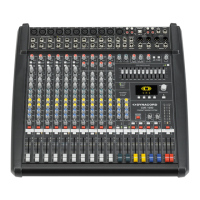
Dynacord CMS 1000-3 - User Manual

Dynacord CMS 1000-3
92 pages
Print Icon
To Next Page IconTo Next Page
Loading...
CMS
3
CMS 1000-3 | 1600-3 | 2200-3
COMPACT MIXING SYSTEM
Owner‘s Manual | Bedienungsanleitung

Table of Contents

Question and Answer IconNeed help?

Do you have a question about the Dynacord CMS 1000-3 and is the answer not in the manual?

Summary

INTRODUCTION

CONTROLS, INDICATORS AND CONNECTIONS

Input Mono

Description of mono input channels, controls, and connections.

Input Stereo

Description of stereo input channels, controls, and connections.

DIGITAL AUDIO INTERFACE

Installing the USB driver

Step-by-step guide for installing the necessary USB driver.

SETTING UP A STANDARD PA

Soundcheck

Procedures for performing a sound check and adjusting levels.

SPECIFICATIONS

IMPORTANT SAFETY INSTRUCTIONS

IMPORTANT SERVICE INSTRUCTIONS

2 Controls, Indicators and Connections

2.1 Input Mono

Description of mono input channels, controls, and connections.

4 - GAIN CONTROL

Explanation of the gain control for adjusting input sensitivity.

7 - EQ SECTION

Explanation of the equalizer section for shaping sound frequencies.

8 - FX 1;2

Details on effects units FX 1 and FX 2 and their controls.

2.2 Input Stereo

Description of stereo input channels, controls, and connections.

18 - GAIN MIC

Explanation of the gain control for microphone inputs.

17 - STEREO INPUT L;MONO R

Description of stereo line inputs, including mono L/R options.

19 - GAIN LINE CD; USB

Explanation of gain controls for line, CD, and USB inputs.

Using the DIGITAL AUDIO INTERFACE (USB)

Instructions for using the USB digital audio interface for input/output.

2.3 FX 1;2

2.4 AUX 1;2

2.5 MON 1;2

48 - USB 2.0

Description of the USB 2.0 connector for digital audio interface.

2.6 MASTER with GEQ

EDIT FX 1; FX 2

USB RECORD ROUTING

FX CONTROL SETUP

DEVICE SETUP

4 DIGITAL AUDIO INTERFACE

5 Setting up a standard PA

5.3 Soundcheck

Procedures for performing a sound check and adjusting levels.

7 Specifications

Summary

INTRODUCTION

CONTROLS, INDICATORS AND CONNECTIONS

Input Mono

Description of mono input channels, controls, and connections.

Input Stereo

Description of stereo input channels, controls, and connections.

DIGITAL AUDIO INTERFACE

Installing the USB driver

Step-by-step guide for installing the necessary USB driver.

SETTING UP A STANDARD PA

Soundcheck

Procedures for performing a sound check and adjusting levels.

SPECIFICATIONS

IMPORTANT SAFETY INSTRUCTIONS

IMPORTANT SERVICE INSTRUCTIONS

2 Controls, Indicators and Connections

2.1 Input Mono

Description of mono input channels, controls, and connections.

4 - GAIN CONTROL

Explanation of the gain control for adjusting input sensitivity.

7 - EQ SECTION

Explanation of the equalizer section for shaping sound frequencies.

8 - FX 1;2

Details on effects units FX 1 and FX 2 and their controls.

2.2 Input Stereo

Description of stereo input channels, controls, and connections.

18 - GAIN MIC

Explanation of the gain control for microphone inputs.

17 - STEREO INPUT L;MONO R

Description of stereo line inputs, including mono L/R options.

19 - GAIN LINE CD; USB

Explanation of gain controls for line, CD, and USB inputs.

Using the DIGITAL AUDIO INTERFACE (USB)

Instructions for using the USB digital audio interface for input/output.

2.3 FX 1;2

2.4 AUX 1;2

2.5 MON 1;2

48 - USB 2.0

Description of the USB 2.0 connector for digital audio interface.

2.6 MASTER with GEQ

EDIT FX 1; FX 2

USB RECORD ROUTING

FX CONTROL SETUP

DEVICE SETUP

4 DIGITAL AUDIO INTERFACE

5 Setting up a standard PA

5.3 Soundcheck

Procedures for performing a sound check and adjusting levels.

7 Specifications

Dynacord CMS 1000-3 Specifications

General IconGeneral
Sample rate96 kHz
Frequency range15 - 70000 Hz
Channels quantity10 channels
Channel fader (1kHz)85 dB
Digital sound processing24 bit
Total Harmonic Distortion (THD)0.005 %
MIDI outYes
USB 2.0 ports quantity1
DJ mixer-
Product colorBlack
Power consumption (typical)50 W
Weight and Dimensions IconWeight and Dimensions
Depth498.5 mm
Width510.5 mm
Height155 mm
Weight9500 g

Related product manuals