40 4812325555EN 2018-02-08
Starting
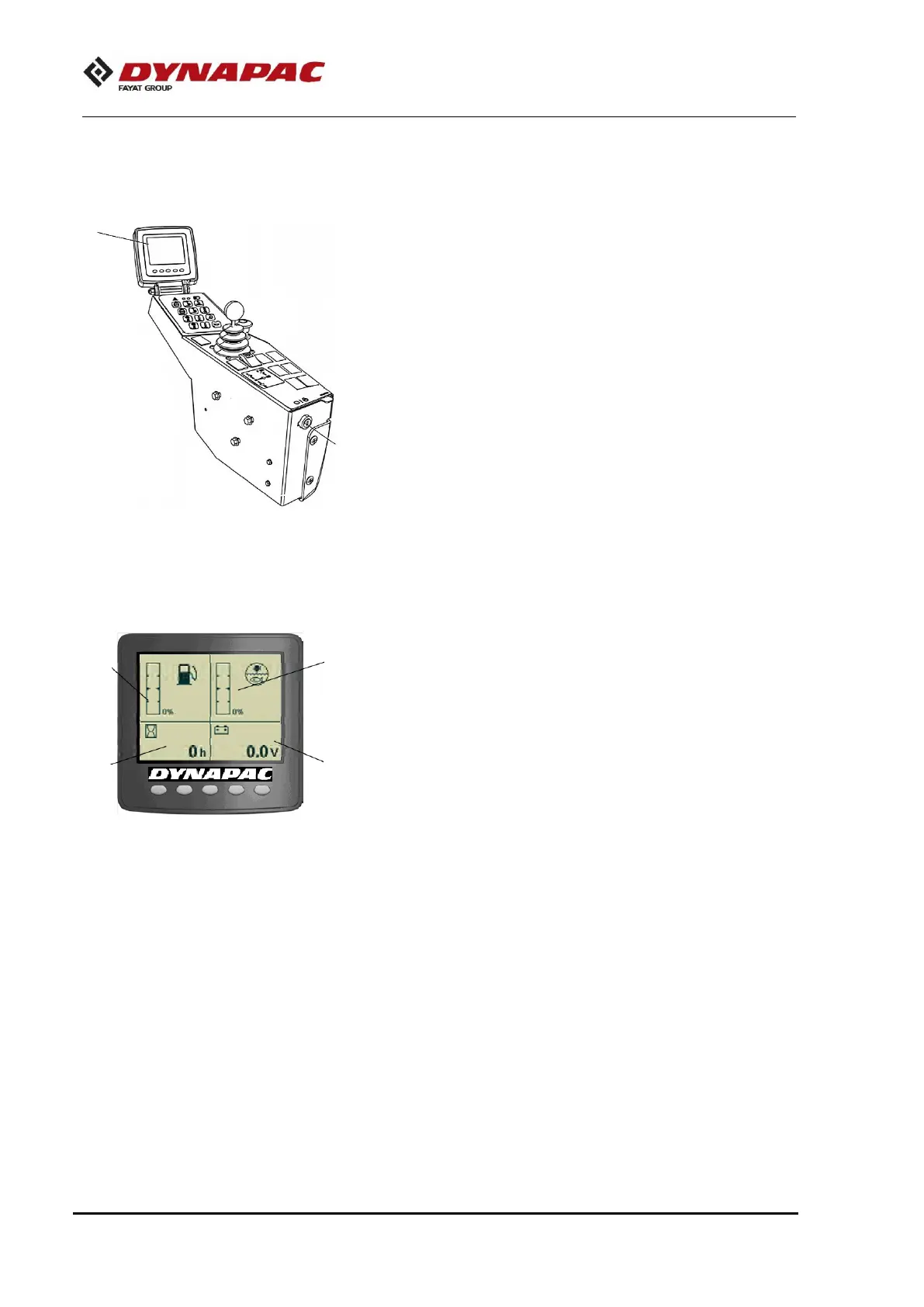
Screen - Control
Sit down for all operations.
Turn the ignition key (1) to the position I and the initial screen
is shown in the Control panel (2).
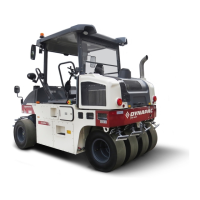
Check if the voltmeter (3) appoints at least 24 volt and if the fuel
(4) and water (5) levels show a percentage value.
The hourmeter (6) records and shows the total quantity of the
engine working hours.


 To Next Page