DS55 Series User Manual 11
Orientation
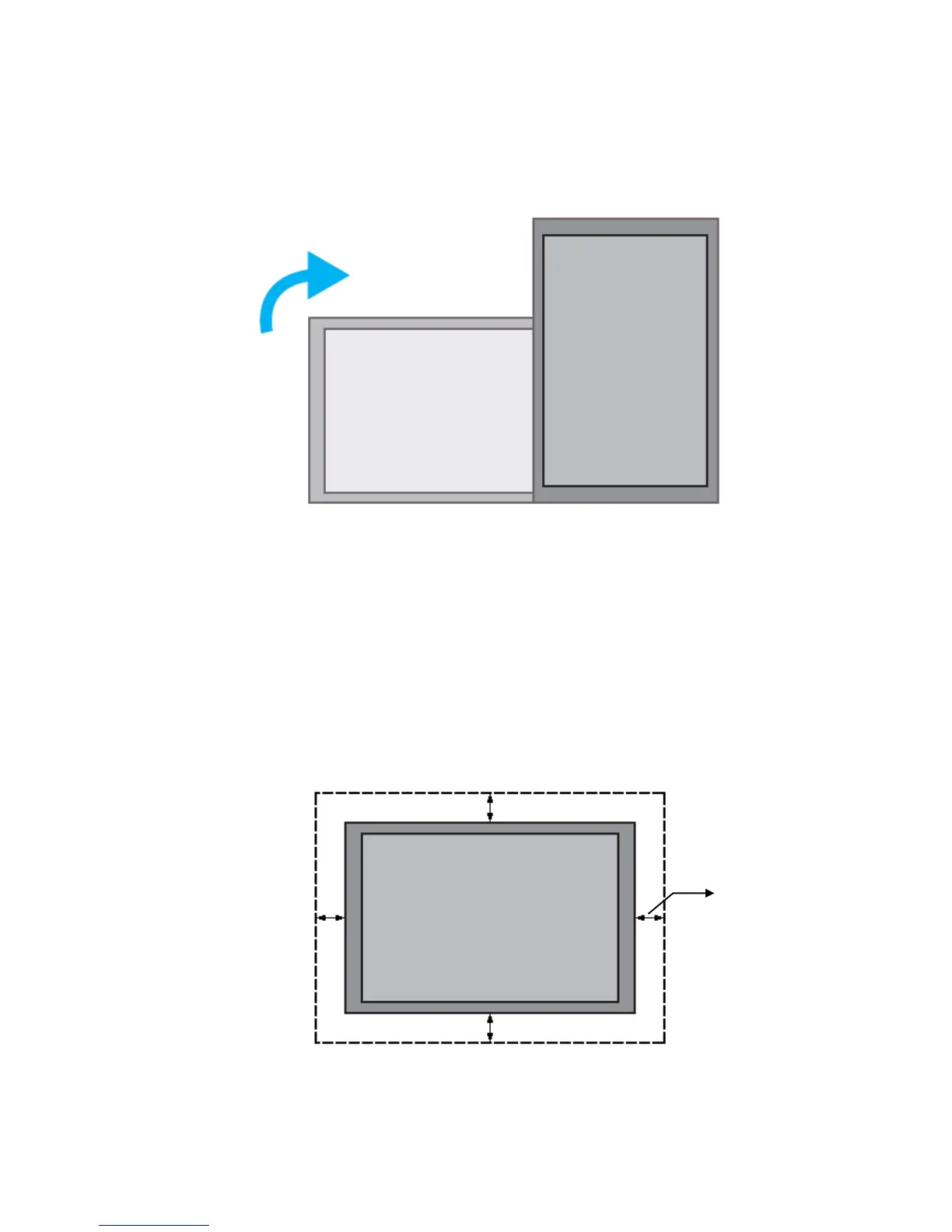
z When used in the portrait orientation, the LCD should be rotated clockwise such that the left edge becomes the
top edge.
Installation Location
z The ceiling or the wall must have enough strength to support the LCD and its accessories.
z Do not install in a location with strong vibrations or is dusty.
z Do not install near the building’s main electric panel.
z Do not install at a location where the LCD can be easily removed by the general public.
z When installed in an alcove, leave at least 10cm (4”) of space around the LCD to ensure proper ventilation.
10 cm / 4 in
10 cm / 4 in



 To Next Page